Top Tips for Choosing the Best Slim Light Box for Retail Displays

You can change your store by picking the right slim light box. LED thin light boxes make products easier to see and help create cool experiences for shoppers.
The market for slim light box solutions is getting bigger because stores want signs that look good.
Energy-saving choices help the planet and save money.
Slim light box technology lets you show what makes your brand special and get customers interested.
Many brands now use slim light box displays instead of old signs, making their store displays better.
Key Takeaways
Pick the best size and spot for your slim light box. This helps more people see it and makes your store look better. - Use LED light boxes that save energy. They help you spend less money and are better for the planet. They also make your display look brighter. - Think about what kind of graphics you want, like fabric or film. This helps your display look clear and matches your brand. - Choose strong aluminum frames to keep your graphics safe. This also helps your light box last a long time. - Try out different light boxes before you buy one. This helps you find the one that works best for your store.
Slim Light Box Size & Placement
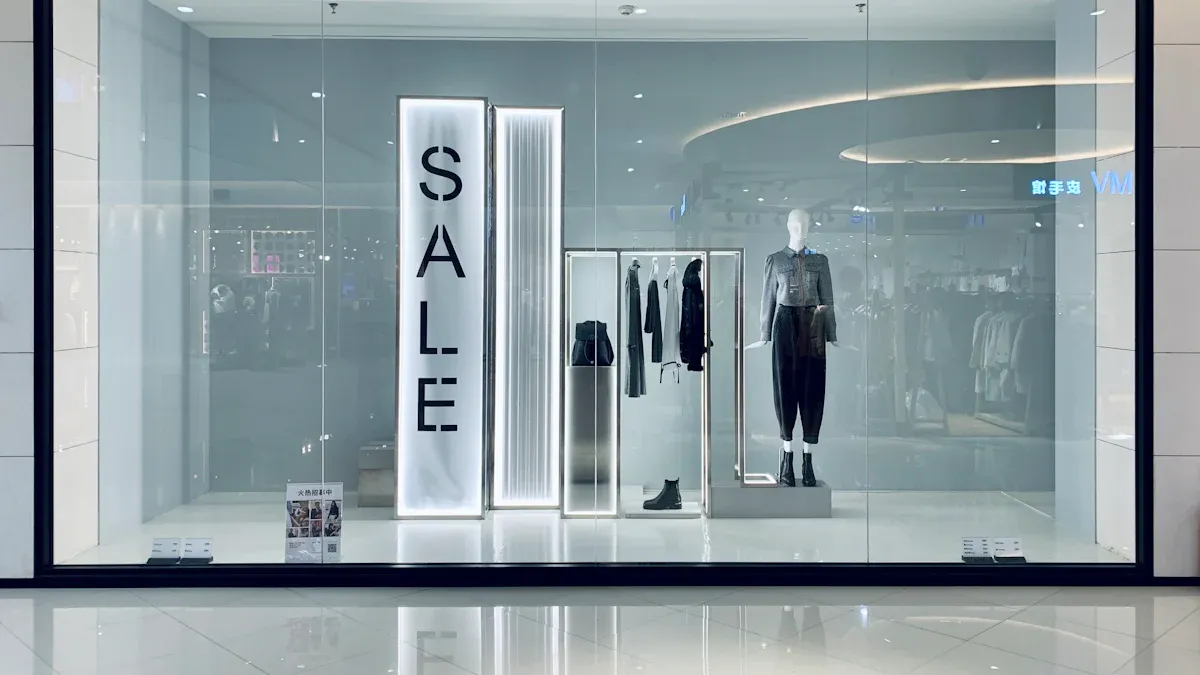
Choosing the right size for your light boxes can change how customers see your store. You want your display to stand out and grab attention. The size of your lightbox affects how much light reaches your products and how strong the visual impact is. Bigger light boxes work well in large spaces, while smaller ones fit boutiques or tight areas.
Measuring Display Area
Start by measuring the area where you plan to put your light boxes. You need to know the width and height of your display space. This helps you pick a lightbox that fits well and looks balanced. Use a tape measure to check the wall or hanging spot. If you want to create a trade show display, make sure your lightbox matches the booth size.
Here is a table showing recommended light box sizes for different retail environments:
Retail Environment | Recommended Light Box Type | Suggested Size (m) | Benefits |
|---|---|---|---|
Boutique | Hanging SEG Light Box | 1.0 × 2.0 / 1.2 × 2.4 | Eye-catching for passersby |
Supermarket | SEG Light Box Wall | 3.0 × 4.0 / 4.0 × 5.0 | Creates a strong festive atmosphere |
Mall | Wall-Mounted SEG Light Box | 2.0 × 3.0 / 2.5 × 3.0 | Large coverage for promotions |
You can use these sizes to plan your display and make sure your light boxes fit your store’s needs.
Indoor vs. Outdoor Use
You must decide if your light boxes will go inside or outside. Indoor light boxes work best for trade show display booths, boutiques, and malls. Outdoor display options need to handle weather and sunlight. Outdoor display light boxes should have waterproof frames and bright LEDs. This keeps your display looking good even in rain or strong sun.
Placement matters for both indoor and outdoor display. Put your lightbox at eye level to get more attention. You can use light boxes near entrances or checkout areas to highlight new products. Changeable display sheets let you update your trade show display or store promotions quickly.
Tip: Light boxes use less energy than old lighting. You could save about $200 a year in a retail store. Over five years, you might save $1,000. LEDs also help lower your carbon footprint.
Light boxes help you create a strong trade show display and boost your store’s visual impact. Pick the right size and placement to make your display stand out.
Light Box Illumination
Edgelit vs. Backlit
You need to know how edgelit and backlit work. Edgelit light boxes have LED strips on the sides. This makes the box thin and saves space. The edges glow, but the middle can look less bright. This happens more in big displays. Backlit booth display options put LEDs behind the graphic. This makes the whole display much brighter. The light spreads evenly, so your graphics stand out more.
Here is a table to help you compare edgelit and backlit booth display choices:
Feature | Edgelit Light Boxes | Backlit Light Boxes |
|---|---|---|
Brightness | Standard-level brightness | Much brighter and more eye-catching |
Light Distribution | Dimmer in the center for large sizes | Evenly distributed across the entire frame |
Design Profile | Ultra-thin, low profile lightboxes | Needs more space (2-4 inches deep) |
Energy Consumption | More energy-efficient | Uses more bulbs for illumination |
Tip: Edgelit designs cost less and fit small spaces. Backlit booth display options are best if you want your display to stand out.
Brightness & Color Temperature
Your led lightbox should make graphics look clear and bright. Brightness helps people see your images easily. Color temperature changes how your store feels. Warm tones make it feel cozy. Cool tones give a fresh, modern look. New LED technology lets you change brightness and color temperature. You get a thinner, lighter led lightbox with smooth lighting.
Slim LED light boxes use only 23% of the power that old light boxes need. If you use a 1㎡ light box for 10 hours a day, you use about 200 kWh each year. Old light boxes use almost 900 kWh. You save 77% on electricity. The special light-guide plate in slim light boxes helps you save money and energy.
When you pick a light box, think about brightness and color temperature. Good lighting makes your backlit booth display look nice and welcoming.
Durability & Frame Quality
Aluminum Frame Benefits
You want your slim light box to last for years. Aluminum frames are strong and do not rust. This keeps your display safe and shiny for a long time. Aluminum is light, so you can move it easily. Many stores pick aluminum frames for their good looks and strength.
Here is a table that compares frame materials:
Material | Durability Features | Visual Effectiveness & Lifespan |
|---|---|---|
Aluminum | Strong, rust-resistant | Keeps graphics safe and looking nice |
Steel | Very strong, can rust | Good for heavy displays, holds large graphics |
Wood | Long-lasting, eco-friendly | Adds warmth and beauty to displays |
Acrylic | Lightweight, bright | Protects graphics but can scratch |
Lexan | Extra tough | Ideal for high-impact areas, more expensive |
Aluminum is strong and looks modern. It protects your graphics and fits new store styles.
Protection in Retail Settings
Your light box needs to handle busy stores. Good frames keep graphics safe from bumps and scratches. LED systems inside last up to 100,000 hours. You do not need to fix them often. This saves you money and keeps your display looking new.
Here are some key points about frame quality:
Aspect | Details |
|---|---|
Longevity | LEDs last much longer than old bulbs |
Durability in Usage | Frames resist impacts and vibrations |
Environmental Resistance | Withstands humidity and temperature changes |
Infrequent Repairs | LEDs and frames need little maintenance |
Ease of Cleaning | Simple cleaning keeps your display bright |
Environmental factors are important too. Store your LED light box in a dry place. The best temperature is between -40℃ and 100℃. Keep humidity under 85%. Waterproof frames stop water damage and help your display work well.
Store your light box in a dry spot.
Keep humidity low.
Make sure the frame does not let water in.
Picking a slim light box with a strong frame helps your store display stay nice and dependable.
Graphic Compatibility
Fabric vs. Film Graphics
You can pick fabric graphics or film graphics for your slim light box. Fabric graphics are made from special cloth that stretches over the frame. This gives your display a smooth and modern look. Film graphics, also called Duratrans, are good for showing sharp pictures and fine details.
Fabric graphics are easy to put in the frame and stay tight.
Film graphics show clear lines and bright colors.
SEG, or Silicone Edged Graphics, make it easy to change pictures. You can switch out graphics fast when you want something new.
Fabric lightbox displays let you change pictures for new sales or seasons. Quick changes help your store look fresh and fun. Backlit tension fabric works well for big displays that need to stand out.
Tip: When setup is easy, you have more time to make your store look great.
Print Quality & Color Choice
You should care about print quality when you make graphics for your store. Dye sublimated printing on fabric lightbox displays makes colors look bright and bold. The fabric does not scratch easily, so your pictures stay nice. The feel of the fabric makes your display look more interesting.
Good backlit fabric shows real color and looks rich.
High image resolution makes your graphics sharp and clear.
The fabric lightbox keeps your pictures looking new, even after many uses.
Pick colors that match your brand and bring in shoppers. Bright colors get attention, while soft colors make people feel calm. Good print quality helps your graphics pop and makes your store look better.
Note: The right graphics and print quality can turn a simple display into a strong marketing tool.
Installation & Maintenance
Mounting Options
There are different ways to put up a slim light box. Each way has special features that make setup simple or quick. Here are some common mounting options:
Description | |
|---|---|
Flip Open Type | Open all sides, put in the light box, and connect power. |
Integral Open Type | Take off the top cover, get inside, and hook up the power. |
Zipper Flip Open | Unzip the frame to get in fast and set up. |
Magnetic Suction | Use suction cups to lift the clear panel and fit the light box in place. |
Pick the way that works best for your store. Some ways let you change pictures fast. Others keep the display locked in tight. Always read the manual for tips that help with setup.
Tip: Choose a mounting way that fits your space and lets you update easily. This helps you save time when you change displays for sales or holidays.
Easy Access & Cleaning
You want your slim light box to stay bright and clean. Easy access is a great thing to look for when picking a model. Some light boxes open from the front, so you can change pictures without taking it off the wall. Others use magnets or zippers for quick changes.
Clean your display often to keep it looking sharp. Dust and fingerprints can block the light and make pictures look dull. Use a soft cloth and gentle cleaner to wipe the frame and cover. Check the LEDs and power wires when you clean. This helps you find problems early.
Sometimes, lights may look uneven or flicker if LEDs move or power wires break. You can stop these problems by checking the lights and making sure wires are tight. If pictures start to fade, try using UV-resistant materials and good prints.
Note: Follow the maker’s care guide. Checking and cleaning your light box often helps it last longer and keeps it working well.
Customization Features
Branding & Design
You can make your store display special with customization. Slim light boxes give you lots of ways to match your brand. You pick the size that fits your space best. You choose shapes that look good in your store. Modular parts let you change your display when you want. You add your logo, colors, and fonts to show your brand.
Here is a table that shows how customization helps your store look better:
Customization Aspect | Description |
|---|---|
Sizes | Custom sizes fit your space and brand needs. |
Shapes | Unique shapes help your display stand out. |
Modular Components | Flexible parts let you change your design easily. |
Brand Elements | Logos, colors, and fonts keep your brand consistent. |
Using these options makes your display more eye-catching. Shoppers remember your brand more easily. Your store feels special and matches your brand message.
Special Effects
You can use special effects to make your slim light box more fun. Smart lighting systems change brightness and color when people walk by. Warm lights, like yellow or orange, make people feel cozy. Cool lights, like blue or white, help shoppers see things clearly.
Dynamic lighting changes when customers are near and saves energy.
Warm colors help people feel relaxed and welcome in fancy stores.
Cool colors are good for electronics shops and pharmacies.
Good lighting makes shoppers want to stop and look at your display.
Special effects help shoppers remember your store. Smart lighting helps guide how people feel and act. Your products stand out and customers enjoy shopping more.
Compliance & Safety
You must make sure your slim light box follows safety rules. This helps keep your store safe. It also helps customers trust you. Always check for certifications and safety features when picking a light box.
Electrical Certifications
Look for electrical certifications before buying a slim light box. These show the product is safe and meets quality rules. Certifications help you follow local and global standards.
Here is a table with common certifications:
Certification Category | Specific Certifications |
|---|---|
Safety and Electrical Certification | CE, UL, RoHS, SGS |
CE means the product follows European safety rules.
UL shows it passed tough tests in the United States.
RoHS means no harmful materials are used.
SGS checks the product’s safety and quality.
Certifications help you feel sure about your choice. They show your light box is safe for your store.
Fire & Environmental Standards
You want your store to be safe from fire and other risks. Slim LED light boxes do not get very hot. They use less energy and are safer than neon signs.
Here is a table comparing slim LED light boxes and neon signs:
Feature | Slim LED Lightboxes | Neon Signage |
|---|---|---|
Compliance with safety | High | Moderate |
Operating temperature | Low | High |
Fire hazard risk | Low | High |
Energy efficiency | High | Low |
Slim LED light boxes help protect your store and the planet. They use less power and do not overheat. You can trust them to keep your displays safe and bright.
Tip: Always ask for proof of safety and environmental standards before buying. This helps you avoid trouble and keeps your store working well.
Lightbox Accessories
Accessories help you use your slim light box better. The right extras make your display look nicer and work well. Some accessories make setup quick and simple. Others help your graphics stay bright and last longer.
Power Supplies & Cables
You need a strong power supply for your slim light box. Built-in power supplies keep your display thin and tidy. This means you do not have messy cables or wires. Most slim light boxes are at least 30mm thick. This helps your display look modern and neat. Double channel structures let you add neon strips fast. You save time and do not work as hard when setting up.
Here is a table that shows how power supplies and control systems help you:
Feature | Benefit |
|---|---|
Integrated Power Supply | Makes setup easy and keeps cables neat |
Control Systems | Lets you change settings the way you want |
Ready to Use | No extra steps, saves time |
Tip: Pick a light box with a built-in power supply. Your display looks cleaner and is easier to set up.
You can use DMX control to change the lighting. This gives you more choices. You can change how bright or colorful your display is. You can match your display to different products or events.
Mounts & Controls
Mounting accessories help you set up your display fast. Thinvisible hanging systems let you hang your light box safely. You get a strong hold without big hardware. PETG clear liners make your graphics look brighter and sharper.
Here is a table with useful accessories:
Accessory | Description |
|---|---|
PETG Clear Liner | Makes graphics easier to see |
Thinvisible Hanging System | Makes display setup simple |
You can use mounts for your wall or ceiling. Some mounts let you move your display when you need to. Control systems help you change lighting effects. You can make displays that grab shoppers’ attention.
Note: The right accessories make your slim light box simple to use. You get better results and spend less time setting up and cleaning.
Testing & Image Quality
Product Demos
You should test a slim light box before using it. Product demos show how the display works in real life. Ask the maker if they use ISO 9001 for quality checks. This means the company wants to make good products. You can ask for papers that prove fire-rated acrylic and corrosion-resistant aluminum are used. These materials help keep your display safe and strong.
When you test a light box, check if it can handle weather. This tells you if the display will last in different places. Look for reports about vibration and shock resistance. Stores are busy, so your display must handle bumps and shakes. Test for electrical safety to make sure it is safe for customers.
Here is a checklist for testing slim light boxes:
Ask for ISO 9001 quality checks.
Request fire-rated acrylic and corrosion-resistant aluminum papers.
Check weather resistance test reports.
Look for vibration and shock resistance checks.
Test for electrical safety.
Tip: Testing your display before you set it up helps you avoid problems and keeps your store safe.
Evaluating Graphics
You want your graphics to look bright and clear. When you set up your slim light box, check the image quality. Look at the colors and see if they match your brand. Make sure the graphics do not look faded or blurry. Try different lighting settings to see how your images change. You can use a table to compare graphic quality:
Feature | What to Check |
|---|---|
Color Accuracy | Colors match your brand |
Sharpness | Images look clear |
Brightness | Graphics stand out |
Even Lighting | No dark spots |
You should ask for a demo with your own graphics. This helps you see how your product will look in the store. Good image quality makes your display more attractive and helps you get more attention from shoppers.
You want your retail display to stand out and last. Focus on these key factors when you choose a slim light box:
Factor | Why It Matters |
|---|---|
Lighting Quality | Makes your products bright and easy to see |
Graphics Material | Keeps your display sharp and durable |
Customization Options | Lets you match your brand and store style |
Budget | Helps you get value and save money over time |
Intended Use | Ensures the light box fits your space and purpose |
Choose a light box that fits your needs. Test different options before you buy. You will see better product visibility, stronger branding, and long-term savings. Start your next display project with these tips for the best results.
FAQ
What is a slim light box?
A slim light box is a thin display frame with built-in LED lights. You use it to show graphics or signs in your store. It helps your products stand out and saves energy.
How do you clean a slim light box?
You clean the frame and cover with a soft cloth and gentle cleaner. Avoid harsh chemicals. Check the LEDs and wires when you clean. This keeps your display bright and safe.
Can you change graphics easily?
Yes, you can swap graphics quickly. Many slim light boxes use silicone-edged graphics or magnetic frames. You pull out the old graphic and insert a new one. This helps you update your display for sales or seasons.
What size light box should you choose?
You measure your display area first. Pick a size that fits your space and matches your store’s style. Use bigger light boxes for large stores. Smaller boxes work well in boutiques or tight spaces.
Are slim light boxes safe for indoor and outdoor use?
You can use slim light boxes indoors and outdoors. For outdoor use, choose waterproof frames and bright LEDs. Always check for safety certifications like CE or UL. This keeps your store safe and your display working well.
See Also
Selecting Ideal Acrylic Panels for Your Light Box Displays
Finding the Best Wall Mount System for LED Light Boxes
Selecting the Best LED Display Sign for Your Company
Choosing the Ideal LED Digital Sign for Business Requirements
