Outdoor Digital Signage Screen Buyer's Guide for 2026

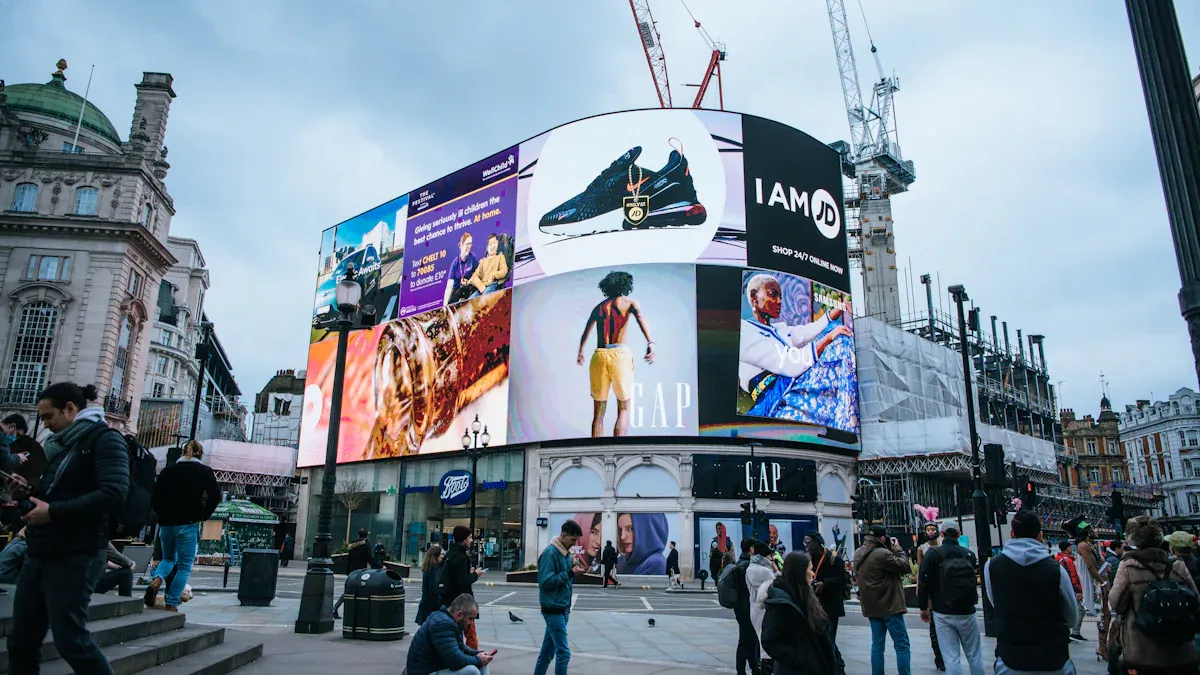
You should make good choices when picking an outdoor digital signage screen in 2026. Outdoor digital signage has changed a lot in the last few years. Many companies use these screens to talk to more people. The outdoor digital signage market is worth about $7.72 billion in 2025. Experts think it will keep getting bigger because of new technology and more people moving to cities. Outdoor digital signage lets you share messages, grow your brand, and stay ahead in a busy world. When you buy outdoor digital signage, you give your business a strong tool to help it do well.
Key Takeaways
Pick outdoor digital signage screens with at least 2,000 nits brightness. This helps people see the screen clearly in sunlight.
Find screens with an IP65 rating or higher. This means the screens are weatherproof and last longer.
Think about your business goals and who will see the signs. This helps you choose the best place and type of digital signage.
Use remote content management systems to update your displays easily. You can do this from anywhere.
Buy strong security features to keep your outdoor digital signage safe. This protects them from theft and vandalism.
Outdoor Digital Signage Screen Essentials
What Makes a Screen Outdoor-Ready
You need to know what makes a screen ready for the outdoors. Outdoor digital signage faces rain, dust, heat, and even strong sunlight. Not every screen can handle these challenges. The right screen will last longer and show your message clearly every day. Here is a table that shows the most important features you should look for:
Feature | Description |
|---|---|
Brightness | 2000+ nits for most outdoor spots. 5000–8000 nits for very bright places. |
Weather Protection | IP65 or higher keeps out dust and water. Climate control helps in hot or cold weather. |
Durability | Strong metal cases and IK10 glass stop damage. Good mounts keep screens safe. |
Connectivity | Ethernet, Wi-Fi, and 4G/5G let you update content from anywhere. |
CMS Features | Advanced tools help you show the right content at the right time. |
Tip: Always check the IP rating and glass strength before you buy outdoor digital signage. These features protect your investment.
Assessing Your Business Needs
You should think about your goals before you choose outdoor digital signage. Ask yourself where you want to place the screens. Will they face direct sunlight or harsh weather? Do you need to change messages often? Some businesses use outdoor digital signage to show menus, ads, or directions. Others use it to share news or safety alerts.
Make a list of what you want your outdoor digital signage to do. Think about how many people will see your screens each day. You should also consider if you want to control your screens from one place or many. The right choice gives you the most benefits and helps your business grow.
List your main goals for outdoor digital signage.
Decide how many screens you need.
Choose the best spots for your screens.
Think about how you will update your content.
Outdoor digital signage can help you reach more people and keep your message clear in any weather.
Key Features of Outdoor Digital Signage
Weather Resistance and Durability
Outdoor digital signage must handle tough weather. These screens face rain, dust, heat, and cold. Good digital signage hardware uses sealed cases and drains to block water and dust. You should look for at least an IP65 rating for weatherproof screens. Some brands, like CrownTV, have screens with an IP66 rating for extra protection. Quality outdoor digital signage displays work from -40°F to 140°F. UV-resistant materials stop the sun from fading or hurting the screens. Many digital signage displays last over 50,000 hours, even in bad weather.
At least IP65 rating for weatherproofing
Works from -40°F to 140°F
Sealed cases and drainage systems
UV-resistant materials for longer life
Outdoor digital signage faces many dangers. The table below shows how to protect your digital signage hardware:
Environmental Threats | Mitigation Strategies |
|---|---|
Weather Elements | Use strong, outdoor-rated digital signage hardware. |
Moisture Ingress | Sealed cases with gaskets and special packs keep out water. |
UV Radiation | Anti-UV coatings and special screens block sun damage. |
Heat Buildup | Bright screens and anti-glare coatings help in sunlight. |
Note: Humidity control is very important. Water inside can cause rust or short circuits in your digital signage hardware. UV coatings and good cooling help your outdoor digital signage last longer.
Brightness and Sunlight Visibility
Your outdoor digital signage should be easy to see all day. Bright sunlight can make a screen hard to read. Outdoor digital signage displays must be bright to beat the sun. High-brightness digital signage hardware is needed for clear screens outside. Anti-reflective coatings help cut down glare.
Brightness Level (nits) | Description |
|---|---|
1,500 | Lowest brightness for outdoor digital signage displays |
2,000 - 4,000 | Best for full sun exposure |
Sunlight can make screens hard to see.
Outdoor digital signage needs bright screens to stay clear.
Special anti-glare coatings keep your message easy to read.
Always check the brightness before you buy digital signage hardware. This makes sure your outdoor digital signage displays are clear, even on sunny days.
Connectivity and Smart Functions
Modern outdoor digital signage needs good connections and smart features. You can update your digital signage displays from anywhere with the right setup. Most outdoor digital signage hardware works with Wi-Fi, 4G, and Ethernet. These let you change your content from far away and keep screens updated.
Connectivity Option | Description |
|---|---|
Wi-Fi | Wireless internet for remote digital signage management. |
4G | Mobile network for updates and content changes. |
Ethernet | Wired connection for steady digital signage performance. |
Smart features make your outdoor digital signage better. You can use content management software (CMS) to control what shows on your screens. Energy-saving digital signage hardware helps lower your bills. Weatherproof design keeps your investment safe.
High brightness for outdoor use
Weatherproof design for rain, dust, and temperature changes
Remote content control with CMS
Energy saving for lower costs
Tip: Pick digital signage hardware that lets you update from far away. This saves time and keeps your outdoor digital signage up to date.
Security and Anti-Vandalism
You need to keep your outdoor digital signage safe from theft and damage. Security features protect your digital signage hardware in public places. Anti-vandal cases use strong aluminum or polycarbonate to stop tampering. Secure mounts and strong locks stop theft. Many digital signage displays use shatterproof glass for more safety.
Security Feature | Description |
|---|---|
Anti-vandal housings | Strong materials stop vandalism and damage. |
Secure mounting | Keeps digital signage hardware in place and stops theft. |
High security locks | Special locks stop people from breaking in. |
Tamper-resistant enclosures | Protects inside digital signage hardware and media players. |
Integrated sensors and alarms | Warn you if someone tries to break in. |
Put your outdoor digital signage where people can see it to stop vandalism.
Use weatherproof cases to protect your digital signage hardware.
Shatterproof glass and lockable cases add more safety.
Top brands use strong anti-vandal technology. Tough materials and tamper-proof cases help your outdoor digital signage last longer. These features protect your investment and lower repair costs.
Alert: Vandalism can make your digital signage break sooner. Strong security keeps your outdoor screens working and your message easy to see.
Types of Digital Signage Displays
LED, LCD, and OLED Options
There are different screens for outdoor digital signage. The main types are LED, LCD, and OLED. Each one has its own good points. LED screens are the brightest and last the longest. LCD screens work well if the weather is not too harsh, but they need extra cover outside. OLED screens show bright colors but do not last as long outdoors.
Display Type | Average Lifespan | |
|---|---|---|
LCD | 500 - 700 | 5 years |
LED | 1,200 - 2,400 | 10 years |
OLED | N/A | 10,000 - 40,000 hours |
Tip: Pick LED screens if you want your outdoor digital signage displays to be very bright and last a long time.
P6 Outdoor LED Displays
P6 outdoor LED screens are strong and clear. These digital signage displays have a 6mm pixel pitch. This means pictures look sharp even from far away. They can be very bright, from 5,000 to 10,000 nits. This makes them great for sunny places. P6 outdoor digital signage hardware can handle tough weather and lasts up to 100,000 hours.
Specification | Details |
|---|---|
Pixel Pitch | 6mm |
Brightness | 5,000–10,000 nits |
Lifespan | 50,000–100,000 hours |
Weatherproofing | IP65 front, IP54 back |
Viewing Angle | 140° horizontal, 120° vertical |
You often see these screens on billboards and at sports fields. They also work well in busy city areas. They can handle rain, heat, and cold without problems.
Interactive and Touchscreen Displays
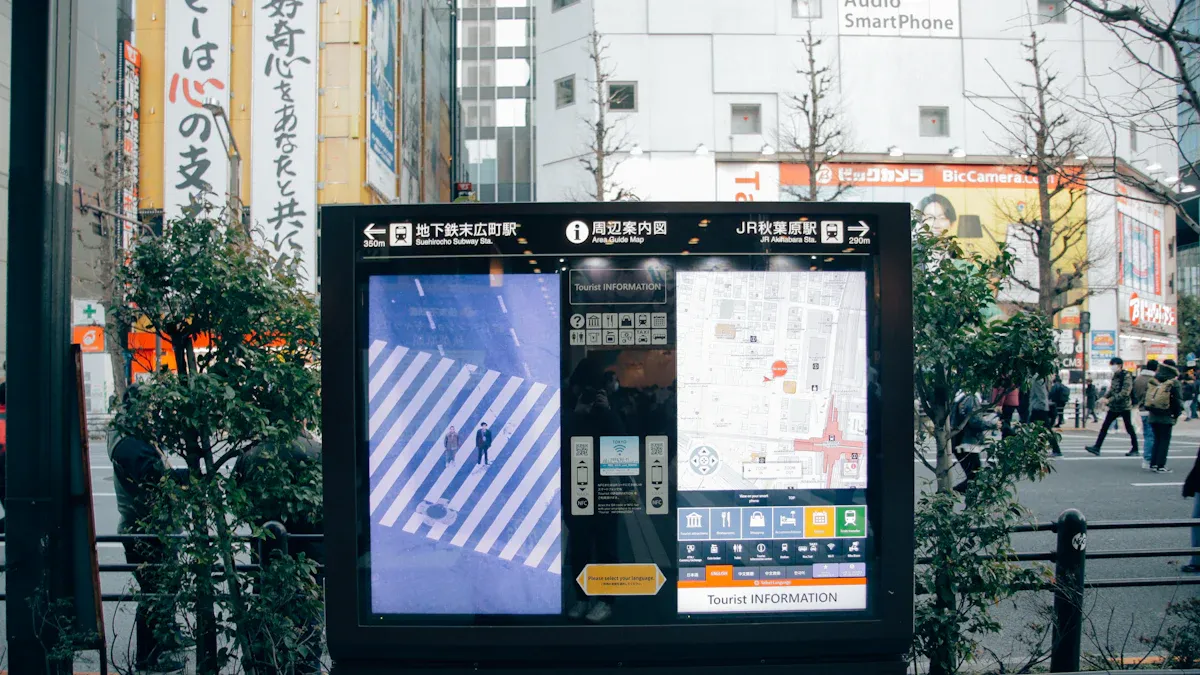
Interactive outdoor digital signage screens let people touch and use them. These digital signage hardware choices help people get involved. Users can pick menus or find their way. You can use these screens for maps, ticket sales, or games. Interactive digital signage displays make your message more fun and easy to remember.
Interactive screens let people use their hands.
People can pick what they want to see.
These screens make people happier than regular displays.
Use Cases for Each Display Type
You should pick the right screen for your space. LED screens are best for outdoor digital signage in bright and busy places. LCD screens are good for covered spots with less sun. Interactive screens are great where you want people to do something.
Type of Display | Use Cases |
|---|---|
LED Displays | High visibility ads, harsh weather, city centers |
LCD Screens | Mild weather, protected outdoor areas |
Interactive Kiosks | Menus, promotions, wayfinding in malls or stations |
Weatherproof Signage | All-weather, year-round outdoor digital signage |
Solar-Powered Options | Remote outdoor spots without easy power access |
You also need the right digital signage hardware like media players, mounts, and weatherproof cases. These things keep your screens safe and working well. Picking the best types of outdoor digital signage displays helps you reach your goals and get the most for your money.
Note: The right screen and digital signage hardware help your outdoor digital signage displays last longer and work better everywhere.
Choosing Commercial Grade Screens and Providers
Top Brands for 2026
You want your business to have the best screens. Some top brands in 2026 are Samsung, LG, CrownTV, and Daktronics. These brands make commercial grade screens that last a long time. They also work well outside in tough weather. Samsung screens are very bright and strong. LG displays have sharp colors and can handle rain or sun. CrownTV screens use new digital technology, so updates are easy. Daktronics screens are good for big outdoor signs and sports fields. Each brand has its own good points. You should look at their digital signage hardware before you decide.
Software-Only vs. Turnkey Solutions
You need to pick between software-only and turnkey solutions. Software-only gives you tools to run your screens, but you must buy and set up the hardware. Turnkey solutions give you everything, like screens, hardware, setup, and help. Turnkey saves you time and stops mistakes. Software-only costs less, but you do more work. Think about how much you want to spend and how much help you need.
Software-only: You set up the digital signage hardware yourself.
Turnkey: One company gives you screens, setup, and support.
Tip: Turnkey is best if you want less work and more help with your outdoor digital signage.
Local Options and Expert Reviews
Try to find local companies for your outdoor digital signage. Local providers know your weather and can install screens faster. Expert reviews help you choose the best digital signage hardware. Read reviews to learn about prices and which screens last longer. Ask local experts about fixing and caring for your outdoor signage.
Comparison Table: Features and Specs
You should compare screens before you buy one. Use a table to check important features and digital signage hardware specs. Look for things like IP ratings, brightness, temperature range, touchscreen types, and color accuracy. These details help you pick the best displays for your outdoor area.
Feature | Description |
|---|---|
IP Rating | Tells how well the screen keeps out water and dirt. |
Shows how bright the digital signage hardware is in sunlight. | |
Operating Temperature | Says if the displays work in hot or cold weather. |
Touchscreen Types | Lists the kinds of interactive screens you can get. |
Color Accuracy | Shows how real the colors look on your outdoor digital signage. |
Note: Always check the specs for commercial grade screens. The right digital signage hardware gives you better displays and saves money on outdoor digital signage solutions.
Outdoor Digital Display Costs and Budgeting
Price Ranges and Total Cost
You should plan your money before buying outdoor digital signage. The price for outdoor digital display screens can be very different. Most setups start at $2,000 for each screen. The total cost is usually between $3,000 and $10,000 for one display. This includes digital signage hardware, weatherproof cases, and labor. Outdoor setups cost more because they need special cases and extra help. You also have to pay for wiring and getting permits.
Here are the main things that change your total cost:
Essential Item | Description |
|---|---|
Display screens | The main part of your outdoor digital signage. |
Media Player | Plays your digital content. |
Display mounts | Hold your digital signage hardware safely. |
Installation | Covers setup and labor. |
Provisioning | Includes initial configuration. |
Purchased software | Needed for running your digital signage hardware. |
Other things can also change the price. The size and sharpness of your outdoor digital display matter. Bigger and brighter screens cost more money. Good digital signage hardware lasts longer but costs more at first. Hard setups and regular care add to your total cost.
Note: Outdoor digital signage needs to be weatherproof and bright. These features make them cost more than indoor digital signage hardware.
Budgeting Tips for Buyers
You can save money and get good value from outdoor digital signage. Pick digital signage hardware that fits your needs and budget. Open-source software can help you save on fees. Strong LED displays save money over time because they last longer. Changing your digital content often keeps people interested.
When you make your budget, think about all the costs over time. This is called the Total Cost of Ownership. You need to count software fees, setup, making content, and regular care. Media player features and if you use cloud or on-site solutions also change your costs.
Here are some tips to help you plan your budget:
Choose digital signage hardware that saves money.
Use open-source software if you can.
Buy strong LED outdoor digital display screens.
Change your digital content often.
Plan for regular care and support.
Tip: Always add maintenance and IT support to your budget. These keep your outdoor digital signage working well and protect your money.
Installation and Maintenance Best Practices
Site Preparation and Setup
You should plan before you install outdoor digital signage. Pick the right digital signage hardware for your area. Mini-LED works best in bright places. Choose the size of your digital display. Small screens fit small spaces. Big billboards get more attention. Pick a mounting style that fits your needs. Freestanding and wall-mounted are popular for outdoor digital signage. Check the spot where you want to put your screen. The place you pick changes the size and type of digital signage hardware you need.
Follow these steps for easy setup:
Do a site survey. Check power, internet, and weather.
Get permits if you install digital signage hardware in public.
Make a budget for installation and care.
Think about financing if digital signage hardware costs a lot.
Use a step-by-step process for mounting and connecting your digital signage hardware.
Add security to keep your digital signage hardware safe.
Tip: Good planning helps your outdoor digital signage last longer and work better.
Professional vs. DIY Installation
You can install digital signage hardware yourself or hire experts. Professionals know how to set up digital signage hardware. They follow safety rules and make sure your outdoor digital signage works fast. DIY saves money but you must know about wiring and mounting. You also need to make your digital signage hardware weatherproof. Mistakes can break your screens or make them work badly.
Installation Method | Pros | Cons |
|---|---|---|
Professional | Quick, safe, reliable | Costs more |
DIY | Cheaper, flexible | More work, risk mistakes |
For big or hard outdoor digital signage jobs, use professionals.
Maintenance, Warranties, and Support
Regular care keeps your digital signage hardware working well. Clean your digital displays to remove dust and dirt. Check your digital signage software often to keep it running. Many brands let you trade in old digital signage hardware for new ones.
Look for warranties when you buy outdoor digital signage. Some brands, like LG, give three-year warranties on digital signage hardware. You can buy more years with extra plans. Services like White Glove Support help you fix problems fast. Routine care and good support make your digital signage hardware last longer and save money.
Note: Regular care and strong support keep your outdoor digital signage bright and working all year.
Content Management for Outdoor Digital Signage
Choosing a Content Management System
You need a good system to run your outdoor digital signage. A content management system lets you control screens from anywhere. You can set up schedules and change messages fast. It also helps you check how your screens are working. The best systems make it easy to update digital menu boards and other displays. Pick a system that is simple to use. Make sure it works with other digital tools. It should let you update content right away.
Criteria | Description |
|---|---|
Ease of Content Management | Simple scheduling and updating of content, both on-site and remotely. |
Integration Capabilities | Supports connection with external data sources and enterprise systems. |
Performance Analytics | Tracks content effectiveness and viewer engagement. |
Compliance with Regulations | Meets accessibility and emergency communication standards. |
Tip: Pick the best digital signage hardware and CMS. This keeps your outdoor digital signage working well.
Maximizing Engagement and Personalization
You want people to notice your outdoor digital signage. Use interactive screens like touch screens or motion sensors. These features make digital menu boards more fun and personal. Show new content often to keep things fresh. Put your screens where people walk or wait. This helps more people see your messages. Use your brand on all your digital signage solutions. Change your content for different places and times.
Interactive screens make experiences personal.
Real-time content keeps digital signage up to date.
Good placement of digital signage hardware gets more attention.
Using your brand on all menu boards builds trust.
Dynamic content can make customers interact four times more. Businesses with real-time updates get more engagement. Bright digital signage hardware makes screens easier to see. This helps your outdoor digital signage stand out.
Remote Monitoring and Updates
Remote monitoring lets you manage screens without going to each one. You can check if your digital signage hardware is working from far away. You can send updates and fix problems quickly. This saves time and money on repairs. You can also control lighting and schedules to save energy. Remote tools help your digital content run as planned. Advertisers like systems that show logs and proof of performance.
Benefit | Description |
|---|---|
Real-time alerts enable quick action to resolve issues before they are noticed. | |
Lower Maintenance Costs | Fewer on-site visits and truck rolls lead to cost savings. |
Optimize Energy Use | Remote control of lighting and scheduling minimizes power waste. |
Enhance Campaign Visibility | Ensures that content runs as scheduled, meeting client expectations. |
Boost Advertisers’ Trust | Provides performance logs and verification for transparency. |
Note: Pick the right digital signage hardware and remote tools. This keeps your outdoor digital signage network strong and saves money.
Future Trends in Outdoor Digital Signage

AI and Data-Driven Content
In 2026, more outdoor digital signage will use artificial intelligence. AI helps digital signage hardware show messages at the best time. Screens can react to weather, traffic, or who is nearby. This makes your digital content more helpful and fun. You can use live data to change ads or alerts fast.
Here is how AI and data-driven content help outdoor digital signage:
Trend | Description |
|---|---|
Data-driven content | Signage changes messages to fit what is happening. |
Hyper-personalized messaging | Content switches based on place, time, and who is watching. |
AI and machine learning | These tools study patterns to make content and ideas better. |
Mike Tippets, VP at Hughes, says AI lets screens run by themselves and get more attention with live data.
Interactivity and Personalization
You can make outdoor digital signage more fun to use. Touchscreens and sensors let people pick what they want to see. This makes your digital signage hardware special. People remember your message more when they can touch the screen. Personalization means digital signage hardware shows different things for different people. For example, a family might see one ad, but a student sees another. This helps you make better outdoor ads and get noticed.
Touchscreens let people use the screen.
Sensors change digital content for each person.
Personalization helps more people see and remember your message.
Sustainability and Longevity
You want your digital signage hardware to last long and use less power. New outdoor digital signage uses strong parts that last up to 100,000 hours. This means you do not need new screens often. Energy-saving features like timers and light sensors help save power. Some digital signage hardware uses solar or wind energy. Cloud-based content management lets you update screens from anywhere, saving time and energy.
Feature | Description |
|---|---|
Durability | Digital signage hardware lasts 70,000 - 100,000 hours, so there is less waste. |
Energy Efficiency | Uses up to 70% less power, which saves money and helps the earth. |
Light Sensors | Change brightness for better viewing and to save energy. |
Renewable Energy Options | Solar and wind power help use less fossil fuel. |
Digital signage hardware now lasts five to ten years.
Smart systems change brightness for the best view.
Energy-saving digital signage hardware costs less and helps the planet.
You can make a smart choice with outdoor digital signage by following a few steps. First, think about your goals and where you want outdoor digital signage to go. Next, compare features and brands for outdoor digital signage. Look at costs and plan for care. Check future trends in outdoor digital signage to stay ahead. If you need help, ask experts or request a demo for outdoor digital signage.
Tip: Careful planning helps you get the most from outdoor digital signage.
FAQ
What is the best brightness level for outdoor digital signage?
You should look for screens with at least 2,000 nits. In very sunny places, choose 5,000 nits or more. High brightness keeps your message clear and easy to read.
How often do you need to maintain outdoor digital signage?
You should clean your screens every month. Check for damage or dirt. Test your software and hardware often. Regular care helps your screens last longer and work better.
Can you update outdoor digital signage content remotely?
Yes! Most modern systems let you change content from anywhere. You can use Wi-Fi, 4G, or Ethernet. Remote updates save you time and keep your messages fresh.
What is the average lifespan of an outdoor digital signage screen?
Most outdoor screens last 5 to 10 years. LED displays can work up to 100,000 hours. Good care and weather protection help your screens last longer.
See Also
Exploring Digital Signage Displays: Key Uses and Best Models for 2025
Indoor Versus Outdoor Digital LED Signage: A Comparison Guide
Choosing Digital Signage Screens: Specs and Selection Guidelines
Best 10 Digital Signage Screens for Commercial Business Use
Understanding Digital Signage Monitors: Tech, Uses, and Selection Tips
