LED Modules for Light Boxes: Installation, Maintenance, and Troubleshooting Best Practices

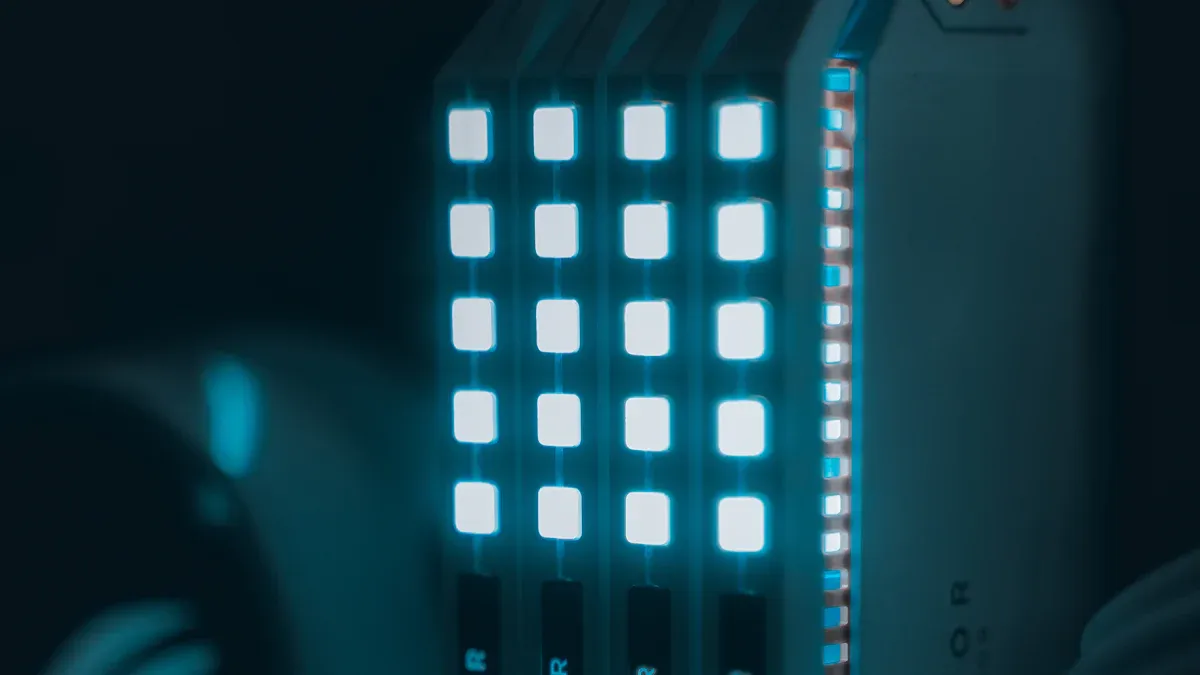
You want your light box to stand out and work smoothly, right? When you follow best practices for installing led modules for light boxes, you set yourself up for success. Great signage draws people in and can even boost sales. Choosing led modules means you save energy and enjoy long-lasting performance. If you care about keeping your display bright and reliable, you’ll find simple tips here that help you get the most out of your setup.
Key Takeaways
Pick the correct LED modules for your light box. This helps the light box stay bright and saves energy. - Clean your light box often and check it on a schedule. This keeps it working well and stops it from breaking suddenly. - Make sure there is good airflow so the light box does not get too hot. Too much heat can hurt LED modules and make them not last as long. - Look at the wires and connections often to stop flickering and other problems. - Always use real parts when you need to replace something. This keeps your light box working well and makes it more reliable.
Installation of LED Modules for Light Boxes

System Components Overview
You want your light box to shine bright and last long. To do that, you need to know what goes inside. Most led modules for light boxes have a printed circuit board, leds, integrated circuits, and a plastic cover. Each part helps control brightness, color, and how much you spend. When you understand these modules, you can pick the right ones for your lighting installation and avoid problems later.
Preparation and Planning
Before you start, get ready with a few simple steps:
Unpack your light box and check for damage. Make sure all cables and accessories are there.
Pick the best spot for your light box. Think about the wall type, power outlets, and where people will see it.
You also need some tools for installation:
Pencil or marker
Screwdriver set
Wire strippers
Wire connectors
Drill
Level
Voltage tester
Ladder or step stool
Step-by-Step Installation
Let’s walk through the process:
Plan your lighting. Figure out how many lumens you need for your space.
Choose the right led modules and light bars for your light box.
Adjust the beam angles for the effect you want.
Attach the modules using foam tape. Route wires neatly and connect to the power supply.
Secure loose wires with zip ties.
Tip: Always check your wire connections and grounding before you finish your lighting installation.
Safety and Ventilation
Safety matters. Use double-sided tape or glue to hold modules in place. Connect modules to a power supply, not straight to high voltage. Watch the positive and negative poles. Seal your light box well to keep moisture out. Good ventilation keeps your led lights cool. Too much heat can make leds dim or change color. If your light box gets hot, the leds may not last as long.
Common Mistakes to Avoid
Here are some mistakes people make:
Wiring issues cause flickering or short circuits. Follow instructions for wiring.
Voltage problems can burn out led lights. Use a stabilizer.
Moisture can ruin modules. Seal your light box.
Dust blocks lighting. Plan for easy cleaning.
If you avoid these mistakes, your led modules for light boxes will work better and last longer.
Light Box Maintenance Tips

Preventative Maintenance Schedule
You want your light box to look great and work well every day. Setting up a regular maintenance schedule helps you avoid problems and keeps your lighting bright. Here’s a simple plan you can follow:
Clean your light box and inspect all components every month.
Test the performance of your led lights to make sure they shine evenly.
Check for dust, dirt, or moisture inside the box.
Make sure the ventilation works and the box does not get too hot.
Protect your light box from harsh weather by using covers or enclosures.
Use high-quality led modules for light boxes to get the best efficiency and long life.
Avoid placing your light box in direct sunlight for long periods.
Follow the manufacturer’s maintenance guidelines.
Schedule a professional inspection once or twice a year.
Replace any broken or faded led lights with genuine parts.
Tip: A regular maintenance schedule helps you avoid sudden failures and keeps your lighting looking sharp.
Cleaning and Inspection
Cleaning your light box is easy if you follow a few steps. You want to keep dust and dirt away so your led lights stay bright and your display looks fresh.
Turn off the power and unplug your light box before cleaning.
Use compressed air or a soft brush to remove loose dust from the surface and corners.
Look for any damage, faded leds, or signs of water inside the box.
Spray an LED-safe cleaning solution onto a microfiber cloth. Never spray directly on the lights.
Wipe the screen gently in one direction. Don’t press hard or use sharp tools.
For interactive displays, vacuum first, then use a soft brush if needed.
Dry the screen with a clean, dry cloth or vacuum to remove moisture.
Plug the power back in and check the lighting performance.
Soft microfiber cloths help you clean without scratching.
LED-safe cleaning solutions work best and protect your led modules.
Compressed air blows dust out of vents and tight spots.
Anti-static gloves keep fingerprints and static away.
Note: Regular cleaning and inspection prevent overheating and keep your light box working at top performance.
SOPs for Maintenance
Standardized operating procedures make maintenance simple and safe. You want to follow a routine so you don’t miss anything important.
Inspect led modules, driver ICs, and power supplies regularly.
Check for cracks, loose parts, or physical damage in your light box.
Make sure all wiring connections are tight and working.
Watch for changes in brightness or color. These can show you if something is wrong.
Look for rust or corrosion on any part.
Test the power supply and driver boards often.
Keep a log of your maintenance checks and repairs.
Keeping a checklist helps you spot problems early and keeps your lighting system running smoothly.
Ventilation and Overheating Prevention
Heat can damage your led lights and lower their performance. You want your light box to stay cool so your lighting lasts longer.
Use metal housings, like aluminum, to help move heat away from the leds.
Pick designs with fins or holes for better airflow.
Install your light box in a ventilated space.
Use external drivers to reduce heat inside the box.
Apply thermal paste between leds and heat sinks for better contact.
Try active cooling, like fans or coolers, if your box gets hot.
Use passive cooling, such as heat sinks and thermal pads.
Space your led lights apart to help heat escape.
Avoid using high brightness mode for long periods.
Good ventilation keeps your light box safe and helps your led modules work at their best.
Replacing LED Modules
Sometimes you need to replace led modules in your light box. You want to do this safely and quickly to keep your lighting bright.
Turn off the power and unplug your light box.
Remove the cover and find the faulty led module.
Disconnect wires and gently take out the old module.
Put in a new, genuine led module for light boxes.
Connect the wires and check that everything is secure.
Replace the cover and plug the power back in.
Test your lighting to make sure the new module works well.
Always use genuine parts from your supplier for the best performance and efficiency.
A good maintenance routine keeps your light box looking sharp and working well. Regular cleaning, inspection, and proper ventilation help you avoid problems and get the most out of your led lights. If you follow these tips, your lighting will stay bright and reliable for years.
Troubleshooting LED Modules for Light Boxes
When your light box does not look right, you want answers fast. Troubleshooting can help you fix problems before they get worse. Let’s look at the most common led lighting problems, what causes them, and how you can solve them.
Common Issues (Flicker, Dimming, Phantom Glow)
You might see your light box flicker, dim, or even glow when it should be off. These issues can make your display look bad and hurt the performance of your led systems. Here’s a quick table to help you spot what’s wrong:
Issue | Symptoms | Possible Causes | Quick Tips |
|---|---|---|---|
Flickering Lights | Lights blink or flash | Bad connections, wrong dimmer, unstable power, overloaded circuits | Use led-rated dimmers, check connections |
Inconsistent Brightness | Some parts look brighter or dimmer | Voltage drops, old drivers, mismatched modules, overheating | Use same modules, check drivers, cool box |
Phantom Glow | Faint light when switched off | Residual current, wrong switches, driver standby | Use led switches, check wiring |
Dead LEDs | Some leds do not light up | Failed modules, bad drivers, wiring mistakes, overcurrent | Replace modules, check wiring and drivers |
Overheating | Fixtures feel hot, leds fade or fail fast | Bad heat sinks, poor airflow, high temperatures | Add cooling, space modules, ventilate box |
You may also notice color changes or delayed response. These signs show your led fixtures need attention.
Diagnosing Causes (Wiring, Dimmers, Module Failure)
You want to find the real cause before you start fixing things. Here are the main reasons your light box might have flickering, dimming, or other problems:
Using the wrong dimmer switch can cause flickering or phantom glow.
Too many modules on one circuit can overload your system.
Low-quality drivers can lead to poor performance and dimming.
Extreme heat or cold can hurt led modules and drivers.
Old or broken leds may flicker or stop working.
Wiring mistakes, like loose or crossed wires, can cause all sorts of issues.
To check for wiring problems, follow these steps:
Look at every wire and make sure nothing is crossed or reversed.
Make sure wires are stripped and fit tight in connectors.
Keep wires neat and straight to avoid shorts.
Use parallel wiring to stop voltage drops.
If you use the right dimmer switches and keep your wiring clean, you can avoid many led lighting problems.
Step-by-Step Solutions
You can fix many problems in your light box with a few simple steps. Here’s how you can solve the most common issues:
Light box will not turn on:
Check the power supply and make sure the outlet works.
Look at the led bulbs and see if they are seated right.
Inspect the drivers for damage.
Flickering or dimming lights:
Use led-rated dimmer switches.
Tighten all wire connections.
Upgrade to better drivers if needed.
Do not overload the circuit with too many modules.
Uneven lighting or hotspots:
Move the led strips or modules for even spacing.
Upgrade the diffuser if you see bright spots.
Replace any faulty leds.
Phantom glow:
Use switches made for led lights.
Add a bypass capacitor if needed.
Check for stray voltage in the wiring.
Overheating:
Add more ventilation or cooling.
Use metal housings or heat sinks.
Space out your modules and avoid running leds at full brightness all the time.
Connectivity and control issues:
Make sure your control system matches your led modules.
Update drivers and troubleshoot any interface problems.
Tip: Always turn off the power before you touch any wiring or modules in your light box.
When to Seek Professional Help
Sometimes, troubleshooting your light box can be tricky or even risky. You should call a professional if:
You feel unsure about working with electrical parts.
You cannot find the problem after checking the basics.
The issue keeps coming back or seems complex.
⚠️ Alert: Working with electricity can be dangerous. If you do not know what you are doing, you could cause overheating, electrical failures, or even a fire. It is always safer to ask a trained technician for help.
If you follow these steps and tips, you can solve most led lighting problems in your light box. You will keep your lighting bright, safe, and reliable.
Quick-Reference Maintenance Checklist
Installation Checklist
You want your light box to work perfectly from day one. Here’s a step-by-step checklist to help you avoid common mistakes and get your lighting set up right:
Pick the correct type of LED for your light box. Not every LED fits every job.
Check the supply voltage. Make sure it matches your LED modules.
Plan for good ventilation. LEDs need to stay cool for long life.
Make solid electrical connections. Loose wires can cause problems.
Use lighting controls that match your LEDs. Not all dimmers work with every module.
Choose the right color temperature. It changes the mood of your space.
Position your light sources for even lighting. Avoid dark spots.
Protect outdoor light boxes from weather.
Think about how your installation looks. A neat setup makes your display pop.
Follow the manufacturer’s instructions. Every product is different.
Tip: Double-check each step before you finish your installation. This helps you avoid light box repair later.
Maintenance Checklist
Keeping your light box in top shape is easy when you follow a regular routine. Here’s what you should check:
Look for scratches, dents, or changes in shape.
Test the electrical performance of your lighting.
Measure brightness, color temperature, and color rendering.
Make sure your light box does not interfere with other devices.
Run life tests to see how your LEDs hold up over time.
Check how your lighting works in hot, cold, or humid conditions.
Test safety features like grounding and overvoltage protection.
Clean led lights with a soft cloth and LED-safe cleaner.
Inspect for dust, moisture, or corrosion inside the box.
Note: Regular maintenance keeps your lighting bright and helps you avoid sudden failures.
Troubleshooting Checklist
If your light box acts up, use this table to find quick solutions:
Issue | |
|---|---|
Flickering Lights | 1. Make sure the LED bulb is connected right. |
Color Inconsistency | 1. Check for damaged or loose wires. |
Driver Failures | 1. Try the LED bulb in another fixture. |
If you cannot fix the problem, call a professional for light box repair.
You want your light box to shine bright and last for years. When you follow best practices for installation and maintenance, you get steady lighting, save money, and avoid sudden failures.
Regular cleaning and airflow keep your LEDs cool.
Proper installation helps your lights work better and longer.
Checking your system every six months can catch problems early.
Resource | Description |
|---|---|
TM-21 Standard | Helps you predict and manage how your LEDs will fade over time. |
Lighting Experts | Can help with tough repairs or advanced troubleshooting. |
Keep your quick-reference checklist handy. If you run into tricky issues, reach out to a lighting professional for help.
FAQ
How often should you clean your light box?
You should clean your light box once a month. Dust and dirt can block light and make your display look dull. Regular cleaning helps your LED modules last longer and keeps your sign looking sharp.
What do you do if your LED modules keep flickering?
First, check all wire connections and make sure you use the right dimmer switch. If the problem does not go away, you may need professional repair and maintenance to fix deeper electrical issues.
Can you replace LED modules by yourself?
Yes, you can replace LED modules if you follow safety steps. Always turn off the power first. If you feel unsure or the job looks complicated, call for professional repair and maintenance.
Why does your light box get hot?
Poor ventilation or running LEDs at full brightness can cause heat. Make sure your light box has enough airflow. Use metal housings and space out modules to help cool things down.
What should you do if your light box stops working?
Try checking the power supply and all connections. Replace any broken modules. If you cannot find the problem, reach out to a lighting expert for help.
See Also
Exploring Acrylic LED Light Boxes: Varieties And Uses
Tailored Acrylic Light Boxes: Creation, Components, And Setup
Utilizing Acrylic Light Boxes: Advantages And Choosing Guidelines
LED Sign Displays: Varieties, Innovations, And Deployment Techniques
Acrylic Light Box Panels: Key Specs And Performance Considerations
