LED Light Sign Box Installation

Before you start your LED Light Sign Box installation, make safety your top priority and get ready. Always read the manufacturer’s instructions and look at every part. You could face problems like design changes, late shipments, or safety hazards.
Look out for things like spending too much money, not talking clearly, and light pollution.
A neat and safe setup helps you stay out of trouble and keeps your sign looking good.
Key Takeaways
Always check your LED Light Sign Box for damage when it arrives. Tell customer support right away if you find any problems. This helps you avoid trouble later.
Pick a spot where people can see your sign easily. Make sure the place is strong and safe for mounting. It should handle bad weather and follow local rules.
Be careful when you install the sign. Use the correct tools and wear safety gear. Check all connections twice to stop electrical dangers.
Unpack And Inspect LED Light Sign Box
When your LED Light Sign Box arrives, you want to make sure everything is in perfect shape before you start the installation. Let’s walk through the first steps together.
Check For Damage
Start by opening the box gently. Don’t press down on any part of the sign. You want to avoid bending or cracking the acrylic backing. Take a good look at the sign. Do you see any scratches, cracks, or loose pieces? Sometimes, shipping can cause problems like misaligned parts or broken lights. Here’s a quick table showing the most common issues people find:
Type of Damage |
|---|
Lighting issues |
Weather damage |
Structural integrity issues |
Peeling paint or graphics |
Vandalism |
If you spot any of these problems, snap a photo and reach out to customer support right away. It’s better to fix things now than later.
Verify Parts And Instructions
Next, check the package for all the parts listed in the instructions. You should see mounting hardware, cables, and the power supply. If something is missing, don’t try to improvise. Contact the seller for help. Now, plug in the sign and make sure it lights up evenly. If it doesn’t, you might have a faulty LED Light Sign Box. Always read the instructions before you move on. They’ll help you avoid mistakes and save time.
Tip: Keep all packaging until you finish the installation. You might need it if you have to return or exchange anything.
Prep Area For Installation
Choose Mounting Location
Picking the right spot for your LED Light Sign Box makes a big difference. You want people to see your sign easily, and you want it to last. Take a look at this table to help you decide where to mount your sign:
Criteria | Description |
|---|---|
Visibility | Make sure people can see your sign from far away. You also want to reach it for cleaning. |
Structural Support | Check that the wall or pole can hold the sign’s weight and stand up to strong winds. |
Outdoor signs need tough mounting to handle rain, snow, and sun. | |
Compliance with Codes | Ask about permits. Some places have rules for sign size and mounting style. |
You should also think about the environment around your sign. Here are some things to keep in mind:
Your sign needs to handle hot summers and cold winters.
Pick a power supply that works for you—solar, battery, or plug-in.
Look for an IP65 rating or higher to keep out dust and water.
Stainless steel or aluminum parts fight rust and last longer.
Waterproof seals help your sign survive in humid places.
Leave space for air to flow around the sign. Don’t put it near heaters.
Gather Tools And Safety Gear
Before you start, grab everything you need. You’ll want a drill, screws, anchors, a level, and a measuring tape. Safety comes first, so wear gloves and safety glasses. If you’re working outside, use a sturdy ladder. Double-check your tools before you begin. This way, you stay safe and finish the job faster.
Tip: Lay out your tools and gear before you start. You’ll save time and avoid searching for things in the middle of your project.
Mount LED Light Sign Box
Mark And Drill Holes
You want your LED Light Sign Box to stay put and look straight. Start by grabbing a level and a measuring tape. Mark the exact spots on the wall where you plan to mount the sign. Double-check your marks. If you skip this step, your sign could end up crooked or loose.
Here’s a simple step-by-step guide:
Use a level to make sure your marks are even.
Measure the distance between mounting points on the sign and transfer those to the wall.
Drill pilot holes at each mark. Pick screws or anchors that match your wall type and the mounting hardware.
Tip: Always wear safety glasses when drilling. Dust and debris can fly everywhere.
Secure With Hardware
Now, you’re ready to attach the LED Light Sign Box. Line up the mounting holes on the sign with the holes you drilled. Use the hardware that came with your sign. Don’t swap it out for something else unless you know it’s strong enough.
Tighten each screw or bolt until the sign feels snug. Don’t overtighten, or you might crack the frame.
Check that the sign sits level before you finish tightening.
If your sign is heavy, ask a friend to help hold it in place.
Note: Secure mounting keeps your sign safe from wind and weather. Always follow the instructions in your hardware kit. Local rules may require a certain wind load rating, so check before you start.
Common mistakes include using the wrong screws, mounting too high or too low, and ignoring electrical safety. Take your time and double-check each step.
Use Foam Tape For LED Bars
Foam tape helps your LED bars stick to the frame and stay there for years. Don’t rush this part. Here’s how you get a strong, lasting bond:
Choose high-quality double-sided tape, like 3M VHB. It holds better than cheap tape.
If your frame isn’t perfectly smooth, use foam tape. It fills gaps and sticks well.
Peel off a few inches of the tape backing at a time. This keeps dust and dirt away.
Press the tape down firmly as you go. Make sure it touches the whole surface.
Let the tape sit and cure. The adhesive gets stronger over time.
Tip: Don’t hang the sign right away. Give the tape time to set for the best hold.
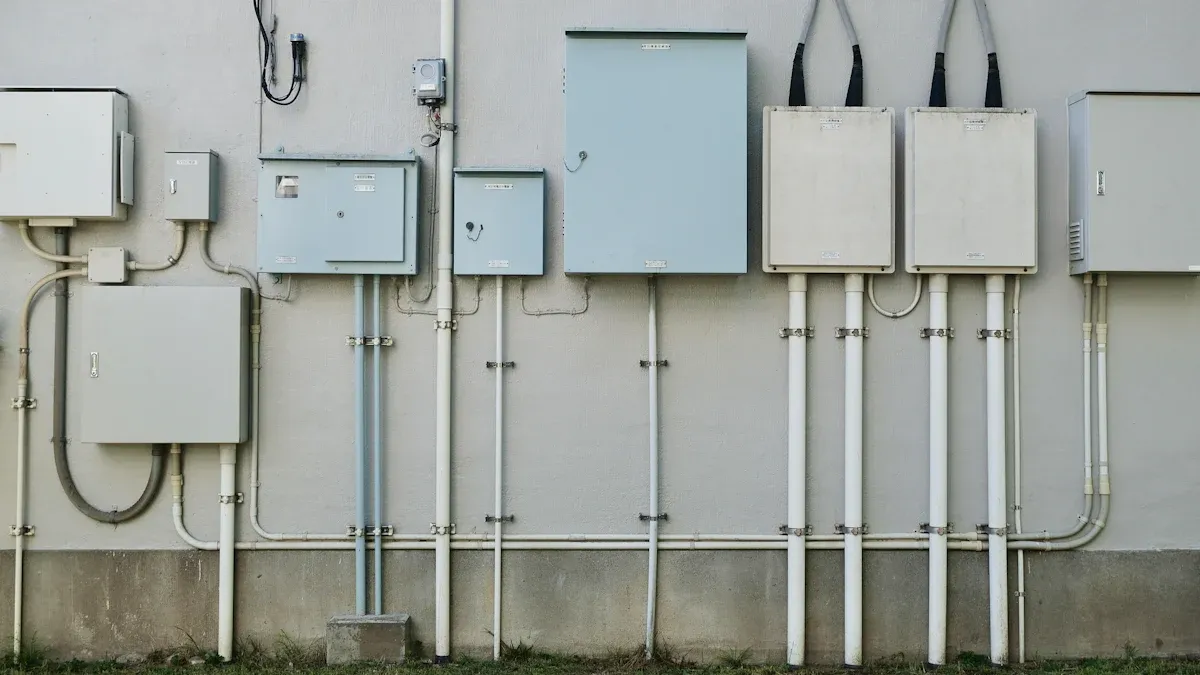
When you run cables, keep things neat. Route wires through conduit or behind the wall. This hides the mess and protects your cables. You can dig a small channel in brick or drywall if you want a super clean look. Running conduit up to the sign gives a professional finish.
A clean install makes your LED Light Sign Box look sharp and keeps it safe. Secure mounting and tidy cables help your sign last longer and work better.
Wiring And Cable Management
Getting your wiring right is just as important as mounting your sign. Good cable management keeps your LED Light Sign Box safe, neat, and working for years. Let’s break down the best ways to handle your wires.
Route Cables In Channels
You want your cables to look tidy and stay protected. Using channels or conduits helps you hide wires and keep them from getting tangled or damaged. Here’s how you can make your setup look professional:
Run cables through plastic or metal channels along the wall.
Use cable wraps to bundle wires together. This keeps them from hanging loose or getting caught.
Label each cable. When you know which wire goes where, you avoid mistakes and save time if you ever need to fix something.
Check out this table for some top cable management techniques:
Technique | Description |
|---|---|
Proper Labeling | Makes cables easy to identify, so you don’t mix them up or cause accidents. |
Using Cable Wraps | Protects cables and keeps them organized, stopping tangles and possible hazards. |
Organized Management | Helps you avoid cable messes that can lead to electrical problems in your sign box. |
Tip: Always keep cables away from sharp edges and moving parts. This helps prevent cuts and wear.
Plug-In, Conduit, Or Hardwire Options
You have a few choices for powering your sign. Each option has its own perks. Let’s look at what works best for you:
Plug-In:
Just plug your sign into a regular outlet. This is the easiest way. You don’t need special tools or an electrician. Plug-in signs are great if you want to move your sign later or if you rent your space.Conduit:
Use a conduit to run wires safely along walls or ceilings. This keeps cables protected from weather and damage. Conduits also make your setup look cleaner, especially outdoors.Hardwire:
Connect your sign directly to your building’s electrical system. This gives you a sleek look with no visible cords. Hardwiring is best for permanent signs and often needs a pro to install.
Here’s a quick comparison to help you decide:
Feature | Hardwired Lighting | Plug-in Lighting |
|---|---|---|
Installation | Needs a professional | DIY-friendly, just plug in |
Aesthetics | No visible cords, very clean | Cords may show, but can be hidden |
Flexibility | Stays in one place | Easy to move or adjust |
Control | Works with wall switches/dimmers | Uses built-in switches |
Cost | Higher upfront, pro fees possible | Lower cost, no pro needed |
Power Supply | Always reliable | Needs to be near an outlet |
Best For | Permanent signs, new builds | Renters, temporary setups |
Note: Hardwired signs look sharp and work well for long-term use. Plug-in signs are perfect if you want something quick and easy.
Safety Precautions
Wiring can be risky if you don’t follow safety rules. You want to keep yourself and your sign safe. Here are some must-follow tips:
Never let wires touch insulation or anything hot. Heat can melt wires and cause fires.
Always connect wires to the right LED drivers. Loose or wrong connections can break your sign.
Secure cables every 4.5 feet with clips or staples. This stops wires from sagging or getting pulled loose.
Keep enough space around outlets and cables, as the National Electrical Code (NEC) requires.
Use only Class 2 or UL-listed low voltage wires and devices. These are safer and meet code.
Separate low and high voltage wires. Use different conduits or trays for each type.
Color code your wires and label every connection point. This makes repairs and checks much easier.
Give low and high voltage cables their own entry points into the sign box.
Callout: Add fuses or circuit breakers to protect your wiring. These stop too much current from damaging your sign or causing a fire.
If you ever feel unsure about wiring, call a licensed electrician. It’s always better to be safe than sorry.
Special Installations
Round LED Light Sign Box Steps
Installing a round LED Light Sign Box might look tricky, but you can do it if you follow each step. Start by preparing all your sign parts. Cut the frame and back panel, get your acrylic sheet ready, and set up your graphics. Next, assemble the lightbox. Attach the LED strips inside the frame, then fix the acrylic sheet in place. Secure the frame and back panel together. Now, lock the sign sections so everything fits tight. Insert bolts through the clear holes and screw them into the threaded holes. Fasten the bolts with the provided socket. Place the X Clip in the center of every four cabinets and screw it in to hold the clip. Install the mounting brackets on the back and secure them with bolts. Test the LED lights and install the power system. Hang or mount your sign where you want it.
Tip: Take your time with each step. Double-check your bolts and brackets before you power up the sign. This helps you avoid problems later.
Double-Sided Box Tips
Double-sided LED Light Sign Boxes need a little extra care. Always keep the crate upright so you don’t damage the sign. When you unpack, avoid putting weight on the LED modules. Arrange the cabinets in order, like A1, A2, A3, so the bulbs line up between sections. After you connect all the sections, install the supporting X-Brackets. Make sure you follow the pattern of preinstalled X-Brackets. Apply tape firmly to hold everything together. Leave space between wires and the pole so nothing gets pinched.
Note: Careful spacing and secure wiring help your double-sided sign shine bright and last longer.
Test And Troubleshoot
Power On And Check Function
You finally have your LED Light Sign Box mounted and wired. Now comes the exciting part—turning it on for the first time. Plug in the power cord and flip the switch. Watch for the lights to come on evenly. If something looks off, don’t worry. Many people spot small issues during this first test.
Here’s a table showing the most common problems you might see:
Common Issues | Description |
|---|---|
Power Supply Failures | The sign flickers or stays dark. This can happen after a power surge or if the outlet fails. |
LED Malfunctions | Some lights do not turn on or flicker. Heat or loose wires can cause this. |
Blank Sign | The whole sign stays off. Sometimes, the timer or schedule has expired, or wires are loose. |
Before you start troubleshooting, check these basics:
Make sure the power cord is plugged in tight.
Look at the circuit breaker. Reset it if needed.
For double-sided signs, check both sides to see if they light up.
Fix Common Issues
If your sign does not work right, you can fix many problems yourself. Try these steps:
Figure out the problem. Is the sign dark, flickering, or showing the wrong color?
Check the power. Plug something else into the outlet to see if it works.
Look at the LED bulbs. Push them in gently to make sure they sit right. Replace any that look burned out.
Inspect the LED driver. This part controls power. If it looks damaged, you may need a new one.
Clean the light diffuser. Dirt or damage can make the sign look dim.
If you still have trouble, call the manufacturer for help.
Tip: Take your time with each step. You can solve most problems with a careful check.
Testing and troubleshooting help you keep your LED Light Sign Box shining bright and looking great.
Final Checks And Maintenance
Inspect Mounts And Connections
You’re almost done! Before you call the job finished, take a few minutes to check every mount and connection. This step keeps your sign safe and working for a long time. Here’s a simple checklist you can follow:
Complete all connections. Make sure you connect the power supply, dimmer, and controller just like the manufacturer’s wiring diagram shows. Double-check the polarity so you don’t run into problems later.
Power up at the circuit breaker. Once you finish wiring and mounting, flip the breaker and watch your LED sheets light up. If everything glows evenly, you’re good to go.
Tip: If you spot a loose screw or a wire that looks out of place, fix it now. Small problems can turn into big headaches if you ignore them.
Clean And Maintain Regularly
Keeping your LED Light Sign Box clean and well-maintained helps it shine bright and last longer. Manufacturers recommend a simple schedule to keep things running smoothly:
Frequency | Maintenance Task |
|---|---|
Daily | Wipe down the exterior surfaces and diffuser to keep the light clear. |
Weekly | Check that ventilation spaces stay open. Secure all electrical connections. |
Monthly | Look for wear or damage on LED panels and power supplies. Clean inside surfaces. |
Quarterly | Inspect all hardware and electrical parts. Test every function. |
Annual | Replace worn parts. Adjust lighting for steady performance. |
You can make your sign last even longer by following a few smart habits:
Place your sign away from direct sunlight and keep humidity in check.
Schedule regular inspections and cleaning to catch small issues early.
Prevent dirt buildup, which can block light and trap heat.
Fix minor problems before they turn into major failures.
Regular care keeps your sign looking sharp and working well. You’ll save money and avoid surprise repairs!
If you follow instructions and check your work, your LED Light Sign Box will stay safe and bright. Skipping steps can cause problems like overheating, fire, or electrical trouble. If wiring seems hard, ask a licensed electrician for help. Taking care of your sign often stops warranty problems and keeps it shining.
Risk Type | Explanation |
|---|---|
Overheating | Bad installation makes LEDs not last as long. |
Fire Hazards | Too much heat can start a fire nearby. |
Electrical Issues | Drivers can fail or lights might flicker. |
FAQ
How long does it take to install an LED Light Sign Box?
You can finish most installations in one to two hours. If you need wiring help, plan for extra time.
Can you install the sign box outdoors?
Yes, you can. Make sure your sign has a weatherproof rating like IP65. Use waterproof seals and sturdy mounting hardware.
What tools do you need for installation?
You need a drill, screws, anchors, a level, and safety gear.
Tip: Lay out your tools before you start. This saves time.
See Also
Essential Guide to LED Sign Boxes for Business Owners
Comprehensive Instructions for Acrylic Signs in Light Boxes
Understanding LED Light Box Displays and Their Benefits
