How to Choose Between A3 and A4 LED Light Boxes

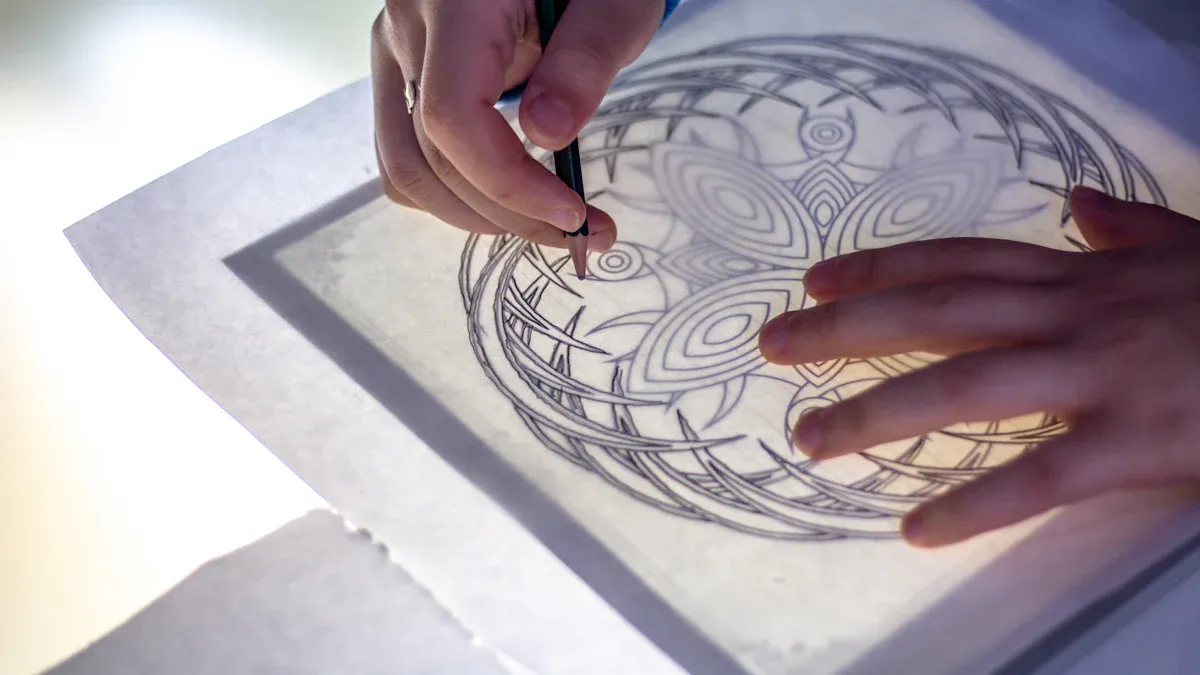
A3 light boxes have more space for big drawings, making them ideal for larger projects. On the other hand, A4 light boxes are smaller and fit perfectly in tight spaces. If you do big projects or need to stack sketches, you should choose between A3 and A4 and pick A3. Choose A4 if you want to travel or trace quickly. Both sizes are bright and illuminate your work evenly, which helps artists, tattoo designers, and teachers see details clearly. When deciding to choose between A3 and A4, consider your workspace and the type of work you create.
Tip: Many illustrators, tattoo artists, and architects use LED light boxes. They assist in fixing sketches, moving designs, and drawing with perspective.
Key Takeaways
A3 light boxes work well for big projects. They give you more space to trace and draw. Pick A3 if you want to make large sketches or use many sheets.
A4 light boxes are small and easy to move. They are good for travel or small desks. Choose A4 if you want something simple to carry.
Both A3 and A4 light boxes let you change the brightness. This helps your eyes feel less tired when you work for a long time. Pick the one that fits your lighting needs.
Think about your workspace before you buy. A4 fits in small places. A3 needs more space for bigger projects.
Price is important. A4 light boxes usually cost less. They are a smart pick for students and people who do art for fun.
Choose Between A3 and A4 Light Boxes
When you choose between A3 and A4, you need to look at the main features and physical differences. Each lightbox gives you unique benefits for tracing, drawing, and crafting. You can find the best light boxes by thinking about your workspace, the size of your projects, and how often you move your tools.
Size and Dimensions
The size of your lightbox matters a lot. A3 lightboxes give you a larger working area. You can use them for big sketches, posters, or multiple sheets at once. A4 lightboxes are smaller. You can fit them on a crowded desk or carry them in a backpack. Most brands offer standard sizes, but you can also find custom options.
Here is a quick comparison of the most common sizes:
Product Name | Out Frame size (MM) | View size (MM) |
|---|---|---|
A4 light box | 225 x 305 | 205 x 293 |
A3 light box | 312 x 428 | 293 x 415 |
You can see that A3 gives you almost twice the surface area of A4. If you want to trace large images or work with big paper, you should choose A3. If you want something compact, A4 is the better choice.
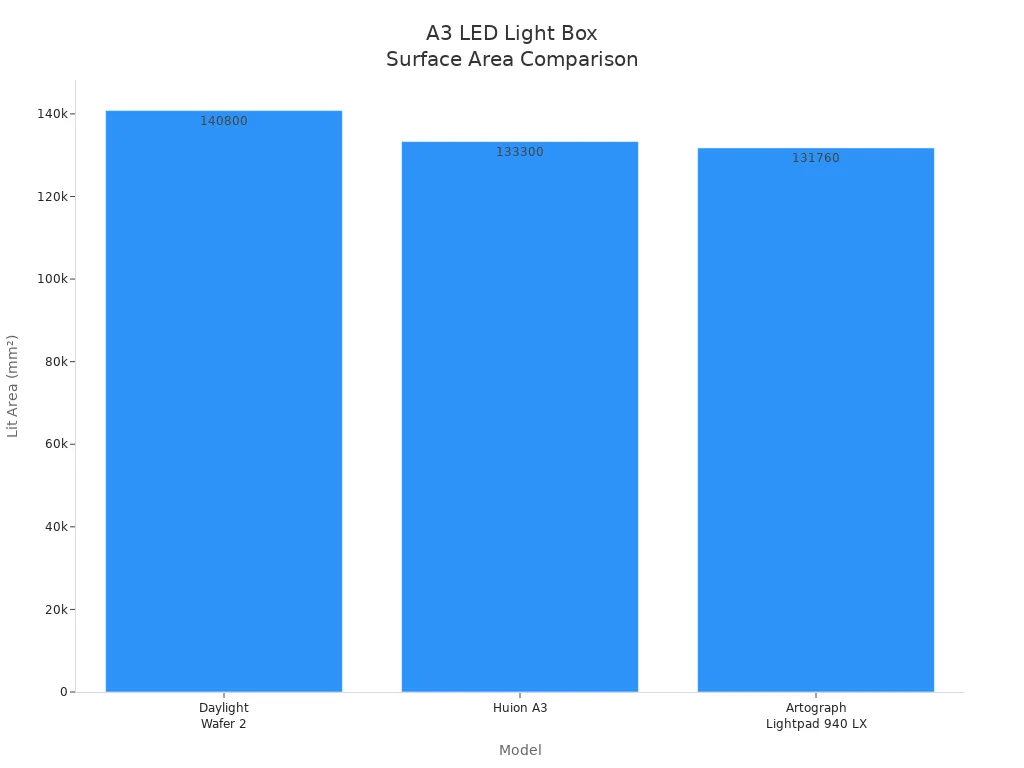
You can also compare the lit area of popular models:
Model | Format | Lit Area |
|---|---|---|
Daylight Wafer 2 | A3 | 11" x 17" (320 x 440 mm) |
Huion A3 | A3 | 12.2" x 16.9" (310 x 430 mm) |
Artograph Lightpad 940 LX | A3 | 12" x 17" (305 x 432 mm) |
Tip: If you often work on comic pages, blueprints, or calligraphy sheets, the larger size of A3 will help you see everything at once.
Brightness and Visibility
Both A3 and A4 lightboxes use LED technology. You can adjust the brightness on most models. This helps you see through thick paper or protect your eyes during long sessions. A4 lightboxes often have a touch switch for brightness and smart memory to remember your last setting. They use hidden LEDs to give you mild, even light. This protects your eyesight.
A3 lightboxes usually offer three brightness settings. You can pick the right light for your project. These lightboxes also use eye-protective technology. You will not get eye strain, even if you work for hours.
Here is a quick look at the features:
Feature | A4 LED Tracing Light Box | A3 LED Tracing Light Box |
|---|---|---|
Adjustable Brightness | Touch switch, smart memory | Three settings, customizable intensity |
Eye-protective Tech | Hidden 60 LEDs, mild light | Ensures perfect visibility, no eye strain |
Use Cases | Cartoons, stencils, tattoos, crafts | Artists, students, professionals |
You can choose between A3 and A4 based on how much light you need and how long you plan to work.
Portability
Portability is important if you move your lightbox often. A4 lightboxes are lighter and smaller. You can carry them to school, art class, or a friend's house. A3 lightboxes are bigger and heavier. You may find them harder to fit in a bag.
Both A3 and A4 lightboxes use USB power or rechargeable batteries. You can plug them into a laptop or use a power bank. This makes them easy to use anywhere.
Here are some points to help you choose:
A4 lightboxes fit in most backpacks.
A3 lightboxes need more space but give you a bigger work area.
Both types can run on USB or batteries for extra convenience.
Note: If you travel a lot or work in different places, A4 is the best lightbox for you. If you stay in one spot and need more space, A3 is the better choice.
You can choose between A3 and A4 by thinking about your project size, workspace, and how often you need to move your lightbox. The best light boxes help you work faster and see your art clearly.
Best Light Boxes for Tracing and Drawing
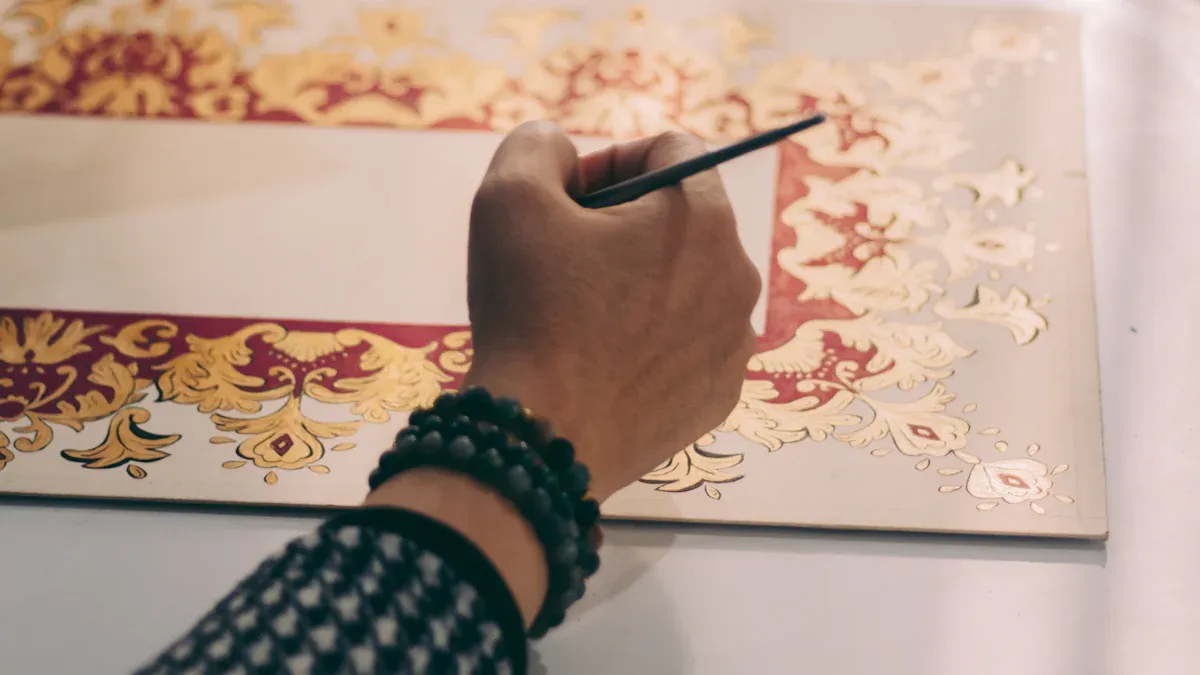
Choosing the best lightbox for tracing and drawing depends on your project size and the level of detail you want. You can find the best lightbox for tracing and drawing by thinking about what you create most often. If you work on large posters, comic pages, or blueprints, you need a bigger surface. If you focus on calligraphy, diamond painting, or fine illustration, you need a tool that helps you see every detail.
A3 Lightbox for Large Projects
You should pick an a3 lightbox for tracing and drawing when you want to work on big projects. This size gives you a wide, bright surface for tracing, sketching, and drawing. The Wafer 2 lightbox is a great example. It offers high-quality, even brightness for tracing and drawing. You can adjust the brightness to match the paper or fabric you use. The color temperature of 6,000K helps you see true colors, which is important for professional artwork.
Here are some features that make an a3 lightbox for tracing and drawing the best lightbox for sketching and large projects:
Bright, even light covers the whole surface.
Slim design makes it easy to handle and store.
Fully dimmable light output fits different paper weights.
High color accuracy helps with color matching.
You can see more details in this table:
Feature | Description |
|---|---|
Illumination Quality | Over 30,000 hours of crisp LED light, 6,000-6,400K color temperature. |
Durability | Scratch-resistant, 3mm thick tempered glass surface. |
Adjustable Settings | Fully adjustable light intensity with a dial. |
Comfortable Working Angle | Fold-away, incline legs for comfort. |
Portability | Slim and available in multiple sizes. |
Heat Management | Stays cool for long tracing sessions. |
Scale Border | 1” scale border for easy measuring. |
Tip: If you want the best lightbox for tracing and drawing large images, an a3 lightbox for tracing is your top choice.
A4 Lightbox for Detailed Work
An a4 lightbox for tracing and drawing works best for small, detailed projects. You can use it for calligraphy, diamond painting, and fine illustration. The best lightbox for tracing and drawing in this size gives you consistent, glare-free light. This helps you trace and sketch with high accuracy. You can adjust the brightness to match the thickness of your paper.
A4 light boxes are popular for their portability and price. Here are some top-rated models:
Product Name | Rating | Price |
|---|---|---|
LitEnergy A4 LED Copy Board Light Tracing Box | 4.5 out of 5 stars | $15.98 |
Ratukall 183PCS A4 Diamond Painting Light Pad Kit | 4.6 out of 5 stars | $16.99 |
A4 LED Light Box for Tracing and Drawing | 4.1 out of 5 stars | $9.99 |
Guiseapue A4 Diamond Art Light Board | 4.5 out of 5 stars | $8.99 |
ME456 A4 LED Light Box 9x12 Inch | 4.5 out of 5 stars | $15.99 |

You get these benefits with an a4 lightbox for tracing and drawing:
Consistent, glare-free light for high-accuracy tracing.
Easy to carry and store.
Adjustable brightness for different papers and lighting.
If you want the best lightbox for tracing and drawing small designs, an a4 lightbox for tracing is the best lightbox for sketching and detailed work.
Factors to Consider When Choosing a Lightbox
Workspace and Portability Needs
You need to think about your workspace before you buy a lightbox. If you have a small desk or move around a lot, an a4 lightbox fits better. You can carry it in your backpack and use it in different places. An a3 lightbox gives you more space for tracing and drawing, but you need a bigger table. Many artists use a3 light boxes for large projects that stay in one spot. If you want to travel or work in tight spaces, choose an a4 lightbox. If you want to trace big posters or do drawing at home, pick an a3 lightbox.
Tip: Always measure your workspace before you buy a lightbox. This guide helps you avoid buying a lightbox that is too big or too small.
Budget and Price Differences
Your budget plays a big role when you choose between a3 and a4 light boxes. Prices change based on size and features. You can see the price ranges below:
Product Type | Price Range |
|---|---|
A3 Cinematic Light Box | $5.00 - $10.00 |
A4 Cinematic Light Box | SG$3.93 - SG$6.54 |
A3 Ultra Slim LED Light Box | ₹1,500.00 plus 18% GST |
A4 Ultra Slim LED Light Box | ₹900.00 plus 18% GST |
Hobbyists often pick a4 light boxes because they cost less. Professionals choose a3 light boxes for bigger tracing and drawing projects. You can compare popular models:
Product | Type | Price | Rating |
|---|---|---|---|
Guiseapue Diamond Art Light Board | A4 | $8.99 | 4.5 out of 5 stars |
Zocelight Light Pad | A3 | $35.99 | 4.6 out of 5 stars |
ME456 LED Light Box | A4 | $15.99 | 4.5 out of 5 stars |
Rechargeable Light Pad | A3 | $49.99 | 4.6 out of 5 stars |
You should use this guide to match your budget with your tracing and drawing needs. If you want a high quality light box for professional drawing, you may need to spend more.
Power and Light Intensity
You need to check the power and light intensity before you buy a lightbox. Both a3 and a4 light boxes use LED lights. You can adjust the brightness for tracing and drawing. Most light boxes use a USB cable and work with 5V power. You can see the specifications below:
Specification | A3 LED Light Box | A4 LED Light Box |
|---|---|---|
Frame Size (LWH) | 3352353.6mm | 3352353.6mm |
Working Area | 290 x 210mm | 290 x 210mm |
Thickness | 3.6mm | 3.6mm |
Material | Acrylic | Acrylic |
Light Source | LED | LED |
Voltage | 5V | 5V |
Dimming Button | Touch switch, optional | Touch switch, optional |
Adjustable Brightness | Three levels or dimmable | Three levels or dimmable |
Color Temperature | 12000-15000K (cold light) | 12000-15000K (cold light) |
You should choose a lightbox with adjustable brightness for tracing thick paper or doing long drawing sessions. A high quality light box gives you better light quality and helps you see every detail.
Guide: Always check the power source and brightness settings before you buy a lightbox. This helps you pick the best light boxes for your tracing and drawing projects.
Pros and Cons of A3 and A4 Light Boxes
A3 Lightbox Pros and Cons
When you use an a3 lightbox for tracing and drawing, you get many good things. The big surface lets you work on large projects. You can trace comic pages, posters, or fabric patterns easily. The bright light helps you see details and keeps your eyes from getting tired. You can use paper, vellum, or film on it. Most a3 light boxes use LEDs that save energy and last a long time. Some models are thin, so you can store them without trouble.
Here is a table that shows the main good and bad points of a3 light boxes:
Advantages | Disadvantages |
|---|---|
Enables precise line tracing and layer alignment | Limited utility for non-artistic tasks |
Reduces eye strain compared to natural light reflection | Potential screen glare under bright room lighting |
Supports various media: paper, vellum, film, fabric patterns | Cheap models may have uneven lighting or poor durability |
Energy-efficient and long-lasting with modern LEDs | Not all are compatible with thick materials or pressure-sensitive tablets |
Helpful for accessibility—visually impaired users may benefit from enhanced contrast | Larger models can be heavy and difficult to move |
Some a3 light boxes are heavy. You might not want to move them a lot. Cheaper models can flicker or have uneven light. Always check the quality before you buy.
Tip: If you want to do big tracing or drawing, an a3 lightbox gives you the space and brightness you need.
A4 Lightbox Pros and Cons
An a4 lightbox is great for tracing and drawing small or detailed designs. These light boxes are easy to carry because they are slim and light. Many a4 light boxes let you change the brightness and remember your favorite setting. You can use them with a USB cable, so they are good for travel or school. The price is lower, so students and professionals can buy one for home or work.
Here are the main good and bad points of a4 light boxes:
Pros:
USB compatible and energy-efficient
Lightweight and slim design
Affordable for students and professionals
Easy to carry for tracing and drawing anywhere
Cons:
Limited size, not suitable for large-format tracing or drawing
Power outlet can be sensitive, which may cause reliability issues in busy settings
A4 light boxes work best for small projects. They are not good for big posters or wide sketches. Some models have power connections that can break, so be careful when you use them.
Here is a quick look at popular a4 lightbox models:
Model | Size | Brightness | Features | User Rating |
|---|---|---|---|---|
Huion L4S | A4 | Adjustable | Ultra-thin, USB powered | ⭐⭐⭐⭐⭐ |
Glendan Portable | A4 | Adjustable | Lightweight, touch controls | ⭐⭐⭐⭐ |
Cricut BrightPad | A4 | 3 Levels | Uniform light, easy to clean | ⭐⭐⭐⭐ |
Note: If you want a lightbox for tracing and drawing while traveling, an a4 lightbox is a smart choice.
You should think about your project size and workspace before picking a LED light box. Also, consider how often you move your tools. The table below shows important things about A3 and A4 light boxes:
Factor | A3 Lightbox | A4 Lightbox |
|---|---|---|
Size & Workspace | Big surface for large projects | Small and easy to carry for little tasks |
Brightness | You can change it, helps your eyes | You can change it, helps your eyes |
Surface Quality | Tough and smooth | Tough and smooth |
Power Source | USB or plug for more choices | USB or plug for more choices |
A lot of beginners like A4 light boxes because they are simple and light. Check your biggest project and add a little extra space. If you want to make bigger art or need more room, choose A3. Many artists and designers use LED light boxes for art, building plans, and cool displays. Try one and see how it helps you create! 😊
FAQ
What size light box should you choose for school projects?
You should pick an A4 light box for most school projects. It fits in your backpack and works well for tracing worksheets, drawings, and crafts. You can use it at home or in class.
Can you use an A3 light box for small drawings?
Yes, you can use an A3 light box for small drawings. You get more space to spread out your work. You can also trace several sheets at once. Just remember, it takes up more room on your desk.
How do you clean your LED light box?
You should use a soft, dry cloth to wipe the surface. Do not use water or cleaning sprays. You can keep your light box bright and clear by cleaning it often.
Is an A4 light box bright enough for thick paper?
Most A4 light boxes have adjustable brightness. You can turn up the light for thick paper. If you use very heavy paper, check the model’s brightness before you buy.
Do you need a power outlet for these light boxes?
Many LED light boxes use USB power. You can plug them into a laptop, power bank, or wall adapter. You do not always need a wall outlet.
See Also
Selecting The Ideal Wall-Mounted Display For LED Light Boxes
Finding The Best Acrylic Panels For Your Light Box Displays
Framed Versus Frameless Acrylic Light Boxes: A Space Comparison
Evaluating Acrylic Sheet Options For Your Light Box Projects
Selecting The Appropriate Acrylic Material For Light Box Signage
