Digital Signage Display Screen Guide for Brightness and Durability

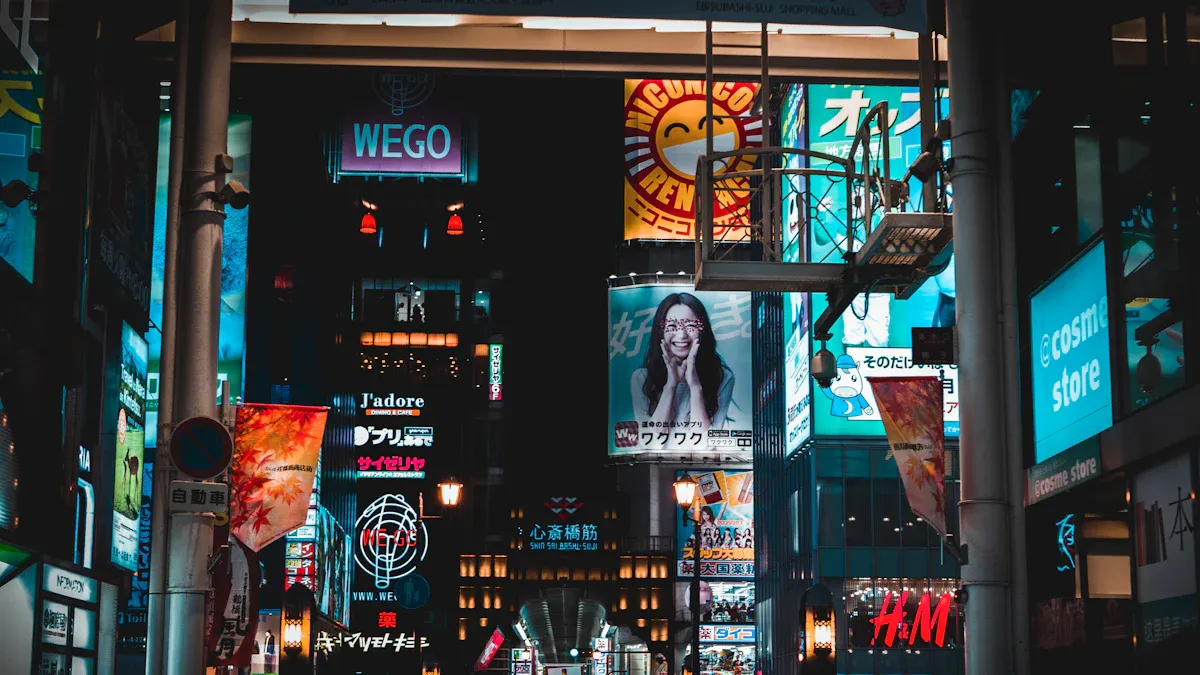
When you look at indoor and outdoor digital signage, brightness and durability are important. Outdoor displays can be as bright as 4,000 nits. Some digital displays are even brighter, reaching over 10,000 nits. This helps people see them in sunlight. Indoor screens are less bright, usually between 350 and 500 nits. These screens focus on showing clear and detailed images. Here is a table to show the differences:
Environment | Typical Brightness (nits) | Durability Features |
|---|---|---|
Indoor | 350–500 | Scratch-resistant, anti-glare screens |
Outdoor | ~4,000 | Weatherproof, IP66 rating, strong glass |
You should also think about temperature, humidity, and sunlight. These things can change how long led displays last. They also affect how well the screens work.
Environmental Factor | Impact on Performance and Lifespan |
|---|---|
Temperature | Changes how the screen works, can break parts, and makes parts get old faster. |
Humidity | Can cause water drops, rust, and problems with electrical parts. |
Sunlight Exposure | Needs high brightness to see the screen, can make it hard to read in direct light. |
Many companies use led digital signage to help customers. For example:
McDonald’s uses digital signage to make orders more correct.
Adidas uses led displays to get people’s attention in pop-up shops.
Sephora uses led screens to link online and store shopping.
Tesla uses interactive led display features to teach customers.
Picking the best digital signage display screen means thinking about where you will use it and what you need.
Key Takeaways
Pick the right brightness for your digital signage. Indoor screens need 300-500 nits. Outdoor screens need 2,000 nits or more. This helps people see them in sunlight.
Think about durability when you choose a display. Outdoor screens should be weatherproof and shock-resistant. Indoor screens should show clear and sharp images.
Take care of your screens often. Clean them every week. Check for any damage. Make sure vents are not blocked. This stops the screens from getting too hot.
Use the right display for each place. Indoor screens work well in safe, controlled rooms. Outdoor screens must handle tough weather.
Buy displays made with strong materials. Look for screens with IP65 ratings and tough cases. These protect against dust, water, and damage.
Indoor vs. Outdoor Digital Signage Display Screens
Definitions and Use Cases
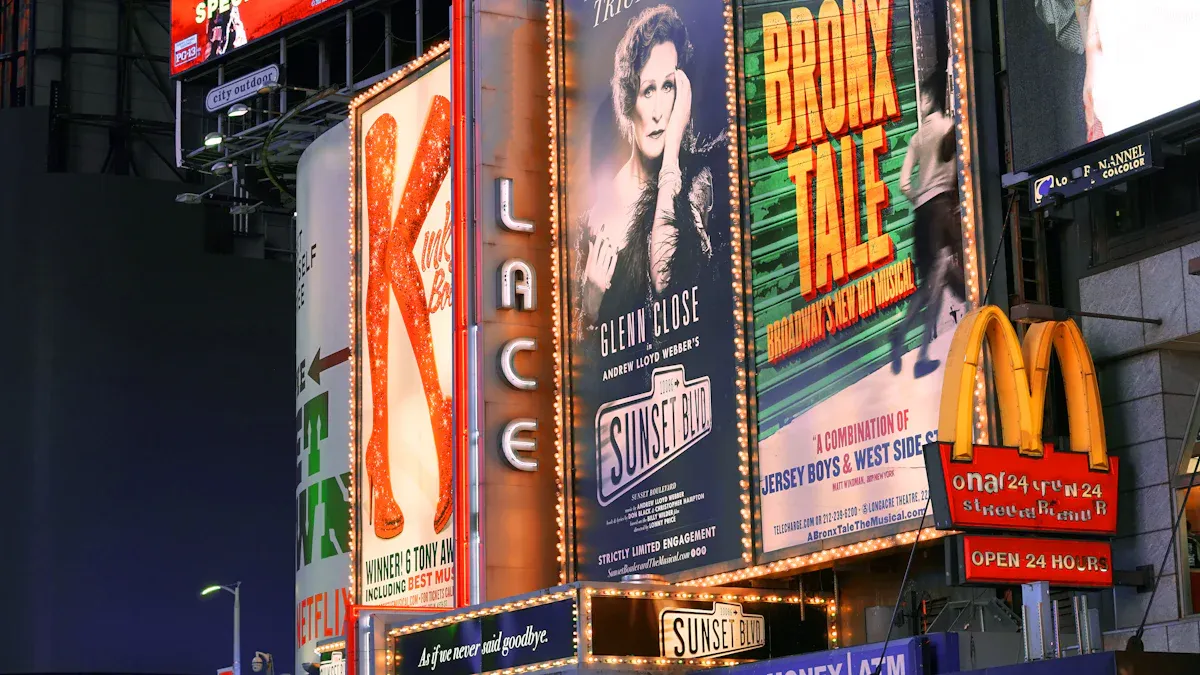
Digital signage is found in lots of places. Indoor digital signage display screens are used inside buildings. You see them in malls, offices, and schools. Outdoor digital signage stands outside on streets or at stadiums. It can also be on store fronts. Each type is made for different jobs. Indoor led display screens show clear menus, ads, or schedules. Outdoor led display screens use bright colors and simple words. They help people notice messages fast. You should pick the display that fits your space.
Here is a table to show the main use cases:
Use Case | Indoor Digital Signage | Outdoor Digital Signage |
|---|---|---|
Content Management | Remote updates | Advanced scheduling |
Hardware Reliability | Handles high traffic | Withstands sunlight and heavy use |
Deployment Infrastructure | Scalable in offices | Needs strong cabling and bandwidth |
Core Performance Differences
Indoor and outdoor digital signage display screens are built differently. Indoor displays work in safe places. You do not worry about rain or dust inside. These screens focus on showing sharp pictures and words. You can show text, images, and videos clearly. Outdoor led display screens face tough weather. They need to be strong and weatherproof. You will see waterproofing, shockproof glass, and dustproof cases.
Outdoor digital signage must be very bright. Sunlight makes screens hard to see. Outdoor displays can reach up to 10,000 nits. Indoor displays are between 300 and 1,000 nits. Outdoor screens also need wide viewing angles. This helps people see them from far away. Indoor screens are best for close-up viewing.
Here is a table to show the main construction differences:
Aspect | Indoor Digital Signage | Outdoor Digital Signage |
|---|---|---|
Environmental Conditions | Stable temperature and humidity | Extreme weather and humidity |
Brightness | 300 – 1000 nits | 2000 nits or higher |
Viewing Angle | Close range | Wide angle (160 – 170°) |
Content Type | Detailed, text-heavy | Simple, eye-catching |
Installation | Easy setup | Needs special structures |
Maintenance | Simple, less frequent | More frequent, harsh conditions |
Tip: To make outdoor digital displays last longer, pick outdoor led display screens with weatherproof parts. For indoor screens, choose ones with high resolution for clear content.
Brightness Requirements for Digital Signage
Indoor vs. Outdoor Brightness Levels
You need to match the brightness of your digital signage display screen to its location. Indoor displays work best with lower brightness because they do not face direct sunlight. Most indoor screens use between 300 and 1,500 nits. This range gives you clear images and good resolution in offices, malls, and schools. Outdoor displays need much higher brightness. Sunlight can make screens hard to read. Outdoor led displays often use 2,000 to 5,000 nits or more. This high brightness level helps people see messages even on sunny days.
Here is a table to show recommended brightness levels for different environments:
Environment Type | Brightness (Nits) | Description |
|---|---|---|
Indoor Displays | 200–500 | Good for places without sunlight. |
Semi-Outdoor Screens | 500–1,000 | Works in shaded areas with some sunlight. |
Full Outdoor Screens | 1,500+ | Needed for direct sunlight and bright outdoor conditions. |
Tip: If you want your outdoor digital signage to stand out, choose a high-brightness digital display. This helps your screen stay visible in all weather.
Measuring and Comparing Brightness
You measure brightness in nits. A nit shows how much light a display gives off. The higher the number, the brighter the screen. You can compare digital displays by looking at their nit rating. Indoor screens usually need less brightness. Outdoor led displays need more to fight sunlight. Some outdoor screens reach up to 10,000 nits for special uses.
Here is another table to help you compare:
Environment | Recommended Brightness (nits) |
|---|---|
Indoor | 300 - 500 |
Indoor | 500 (for typical indoor lighting) |
Indoor | 800 - 1,500 |
Outdoor | 2,000 - 2,500 |
Outdoor | 2,000 - 4,000 |
Outdoor | Up to 5,000 |
You should check the brightness rating before you buy a display. This helps you pick the right screen for your needs.
Impact of Ambient Light
Ambient light changes how well people see your digital signage. Bright sunlight can wash out your screen. You need high brightness levels for outdoor displays to keep your message clear. Indoor screens do not need as much brightness because they face less light. If you put a screen near a window, you may need more brightness.
Ambient light affects many places:
Outdoor advertising needs bright displays to show ads in daylight.
Wayfinding and maps use led screens to guide people in busy areas.
Transportation hubs like airports use high-brightness digital display screens to share updates.
Retail stores use digital signage both inside and outside to show sales.
Corporate offices use outdoor displays for messages.
Hotels and restaurants use led screens for menus and events.
Entertainment venues use digital displays for schedules and promotions.
Modern digital signage uses smart technology to fight ambient light. Some displays have anti-reflective coatings. Others use sensors to change brightness based on the light around them. These features help keep screen visibility high and save energy.
You should remember that led screens lose brightness over time. Heat and age can make them dimmer. Regular checks and good climate control help your display stay bright and clear.
Note: Always match the brightness of your digital signage display screen to your environment. This keeps your content easy to read and your investment valuable.
Durability Factors for Digital Signage Display Screens
Environmental Challenges
You need to think about where you put your digital signage display screen. Outdoor digital signage faces more problems than indoor screens. Rain and snow can hurt the display. Hot and cold weather can also cause damage. Dust and dirt can block the screen and harm the inside parts. Sunlight can make it hard to see your message. Fast temperature changes can freeze or overheat parts. Changes in natural light can cause glare and make the screen hard to see. Regular displays may not work well with these lighting changes.
Here is a table that shows the main environmental challenges for outdoor led display screens:
Challenge | Description |
|---|---|
Extreme Weather Conditions | High humidity, heavy rainfall, snow, intense heat, and freezing temperatures can affect functionality. |
Direct Sunlight | Bright sunlight can wash out visibility, making it hard for viewers to see the content. |
Temperature Fluctuations | Drastic temperature changes can lead to overheating or freezing of components. |
Dust and Debris | Exposure to dust and dirt can affect visibility and damage internal components. |
You should always pick a display that fits your local weather. This helps your digital signage work well and look nice.
Weatherproofing and Material Strength
You want your outdoor digital signage to last for years. You need strong materials and weatherproof features. Tough cases protect your displays from bad weather and people who might try to break them. Many outdoor led display screens use metal frames to stay strong and need less fixing. Hard plastics help your displays handle bumps and scratches.
Experts say you should use enclosures with IP65 or higher ratings. These ratings keep water and dust out. Look for cooling features like fans or heat systems. These stop your display from getting too hot. Cases made from powder-coated steel or aluminum make your display even stronger. Heavy-duty aluminum and polycarbonate cases help stop people from breaking in.
Here is a table that compares common materials used for outdoor digital signage:
Material Type | Pros | Cons |
|---|---|---|
Dibond (Aluminum Composite) | Ultra-durable, lightweight, UV-resistant, great print surface | Less rigid than solid aluminum |
PVC | Budget-friendly, moisture-resistant, versatile | Not as durable in extreme temperatures |
Acrylic | High-end appearance, UV-resistant, water-resistant | Can crack or shatter |
HDU | Weatherproof, lightweight, highly customizable | Less impact-resistant |
Coroplast | Lightweight, waterproof, affordable | Not as long-lasting as metal or composites |
Some special materials give extra protection. Fiberglass embedment gives UV resistance, easy graffiti cleaning, and low upkeep. Gel coat laminate stops scratches and is very strong. Weathering steel makes a tough layer and needs little care.
Tip: Pick cases with anti-glare coatings and at least 1000 nits brightness for better viewing in sunlight.
Lifespan and Maintenance
You want your digital signage to last a long time. Indoor screens usually last longer and need less fixing. Outdoor screens wear out faster because of tough weather and other problems. You will spend more time and money on outdoor screens.
Here is a table that compares the expected lifespan and maintenance needs:
Type of Screen | Expected Lifespan (Hours) | Maintenance Requirements |
|---|---|---|
Indoor | 50,000 - 100,000 | Less intensive |
Outdoor | 50,000 | More intensive due to environmental factors |
Outdoor digital signage costs more to take care of than indoor screens. You might pay $200–$1,000 each year for outdoor screens. Indoor screens cost about $50–$150 a year for cleaning and small fixes. Outdoor screens are often high up, so fixing them is harder. You may need to take them down for repairs, which costs more. If your screen stops working, you can lose business and pay more money.
You can use these tips to help your digital displays last longer:
Clean screens with soft microfiber cloths.
Do not use ammonia cleaners because they hurt anti-glare coatings.
Clean your screens at least once a week.
Keep air vents clear so your display does not get too hot.
Use cases with temperature control in very hot or cold places.
Check weather seals often to stop water from getting in.
Change brightness settings to fight sun damage.
Pick vandal-resistant screens for risky spots.
You should always check your screens and cases for damage. Taking care of your digital signage helps it work well and look good. Good care protects your money and keeps your screens working their best.
Choosing the Right Digital Signage for Your Location
Assessing Your Environment
First, look at where you want to put your digital signage display screen. Is the spot outside with bad weather, or is it safe inside? Outdoor digital signage must handle rain, snow, heat, and wind. Indoor led display screens work best in places like offices or malls. Check if the area gets hot or cold, has sunlight, or could be damaged by people. If your display is outside, make sure it can handle tough weather and still work.
Tip: If you pick the wrong led display, it might not work well or last long.
Matching Features to Needs
Pick features that help you reach your goals. Think about what you want your digital signage to do. If you want people to see your message from far away, use outdoor displays with high brightness. For menus or schedules with lots of details, indoor led displays with high resolution are better. Make sure your display connects to your content management system. Check if it has enough ports and wireless choices. Pick mounting options that fit your space. Smart features like built-in software make content easy to manage. A good warranty helps you worry less.
Feature | Why It Matters |
|---|---|
Resolution | Clear images for close or far viewing |
CMS Compatibility | Easy updates and content changes |
Connectivity | Flexible setup with HDMI, USB, and wireless |
Mounting Flexibility | Fits different spaces and orientations |
Smart Features | Simple management and interactive options |
Warranty | Better support and reliability |
Cost vs. Value
Think about both the price and what you get for it. Outdoor digital signage costs more because it uses strong, weatherproof parts. You will also pay more to keep outdoor displays working. Indoor displays cost less to buy and take care of. Outdoor displays reach more people and last longer in hard places.
Aspect | Outdoor Digital Signage | Indoor Digital Signage |
|---|---|---|
Initial Costs | Higher | Lower |
Maintenance | More expensive | Less expensive |
Long-term Value | Greater reach and durability | Best for stable environments |
Always balance your budget with what you need. The right led display will help your business and keep your money safe.
Comparison Table: Indoor vs. Outdoor LED Display
Brightness and Durability Side-by-Side
It is important to compare indoor and outdoor led displays before you decide. Indoor led displays are good for places where you can control the lights. They do not need to be very bright because there is no sunlight inside. Outdoor led displays must be much brighter so people can see them in the sun. Outdoor led displays also need to handle rain, dust, and hot or cold weather. The table below shows the main differences:
Feature | Indoor LED Displays | Outdoor LED Displays |
|---|---|---|
Brightness (CD/m²) | 400–800 | 5,000–10,000 |
Not waterproof, less resistant | Waterproof, shockproof, dustproof (IP65+) | |
Maintenance Life (Hours) | 50,000 | 100,000 |
Viewing Distance | Several meters | Tens of meters |
Temperature Tolerance | Limited to indoor | Wide range, handles extreme weather |
Outdoor led displays are brighter and tougher than indoor ones. Indoor led displays are made for clear pictures and are easy to take care of.
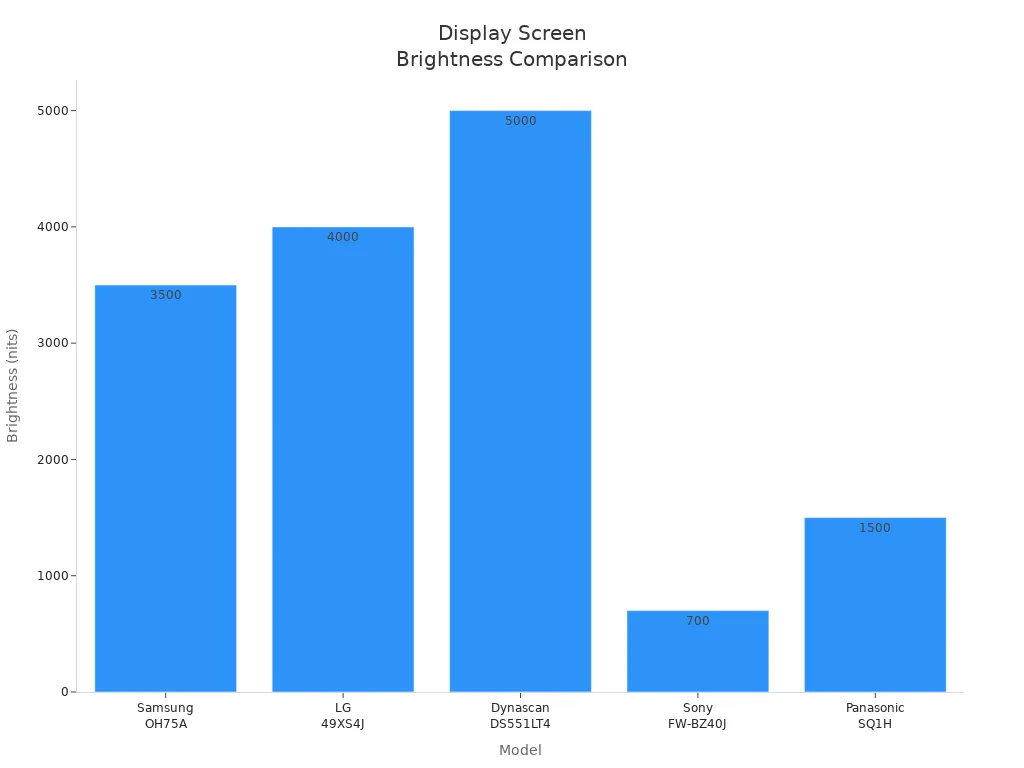
Note: Outdoor led displays need to be very bright so people can see them during the day. Indoor led displays do not need as much brightness and can have more pixels for better detail.
Key Features Overview
There are many things to think about when you pick a digital signage display. Each type is best for different jobs.
Core Technology: Indoor and outdoor led displays use special technology for their places.
Brightness Levels: Outdoor displays can go up to 7,000 nits for sunlight. Indoor displays use less brightness for clear pictures.
Pixel Density: Indoor displays have more pixels for close-up viewing. Outdoor displays have bigger pixels for people far away.
Power Consumption: Indoor displays use less energy and are quieter. Outdoor displays need more power and better cooling.
Application Objectives: Indoor displays are great for menus and stories. Outdoor displays are good for ads that need to get attention.
Installation Location: You need to pick the right display for where you put it.
Viewing Distance: Outdoor displays are easy to see from far away. Indoor displays are best when you are close.
Environmental Exposure: Outdoor displays can handle water, dust, and heat.
Total Cost of Ownership: Outdoor displays cost more to buy and fix, but they last longer outside.
Tip: Always choose a digital signage display that fits your place and what you want to do. This helps you get the best results and saves money.
You can easily notice that indoor and outdoor digital signage are not the same. Indoor led displays have clear pictures and use medium brightness. Outdoor led displays are made with tough materials and have very bright screens. The table below lists the main features:
Specification | Indoor LED Signs | Outdoor LED Signs |
|---|---|---|
Brightness Levels | Medium | Very bright |
Durability | Less rugged | Built for all weather |
When you pick digital signage, think about where you will put it. You should also think about how much money you want to spend and how you will use the screens. Choose led screens that fit your needs and will last a long time. It is smart to check the product details or ask an expert before you buy.
FAQ
What is the difference between indoor and outdoor digital signage?
Indoor digital signage works best in places like malls or offices. Outdoor digital signage uses stronger materials and higher brightness. You need outdoor displays for areas with sunlight and tough weather.
How do you measure brightness in led displays?
You measure brightness in nits. Higher nits mean brighter displays. Most indoor led displays use 300 to 800 nits. Outdoor led displays need 2,000 nits or more for sunlight.
How long do led displays usually last?
You can expect indoor led displays to last up to 100,000 hours. Outdoor displays last about 50,000 hours. Regular cleaning and maintenance help your displays work longer.
What maintenance do digital signage screens need?
You should clean your screens with a soft cloth. Check for damage often. Make sure vents stay clear. For outdoor displays, inspect weather seals and brightness settings.
Can you use indoor led displays outside?
You should not use indoor led displays outside. They cannot handle rain, dust, or sunlight. Outdoor displays have weatherproof cases and higher brightness for safe use.
See Also
Choosing The Ideal LED Screen For Digital Signage Needs
Key Factors To Consider When Choosing Digital Signage Screens
Utilizing Digital Signage For Effective Information Presentation
