Why Desktop Light Boxes Make Exhibitions Stand Out

You want your exhibition booth to shine in a crowded hall. Imagine a desktop light box glowing on your table, drawing eyes from across the room. People stop, notice your message, and remember your brand long after they leave. Studies show illuminated displays can boost foot traffic by up to 50% and increase brand recall by 58%. Traditional signs fade into the background, but light boxes keep your message bright and clear. Stand out and make your next event unforgettable.
Key Takeaways
Desktop light boxes can bring in more people. They can increase visitors by up to 50%. They also help people remember your brand better, by 58%.
Pick a light box that lets you change the graphics. This helps your display look new at every event.
Desktop light boxes are light and simple to set up. They help you save time and feel less stressed at exhibitions.
Using bright LEDs makes your booth easy to see. These LEDs use less energy and help you save money.
Clean your light box and update the graphics often. This keeps your display looking nice and interesting.
Desktop Light Box Essentials
What Is a Desktop Light Box?
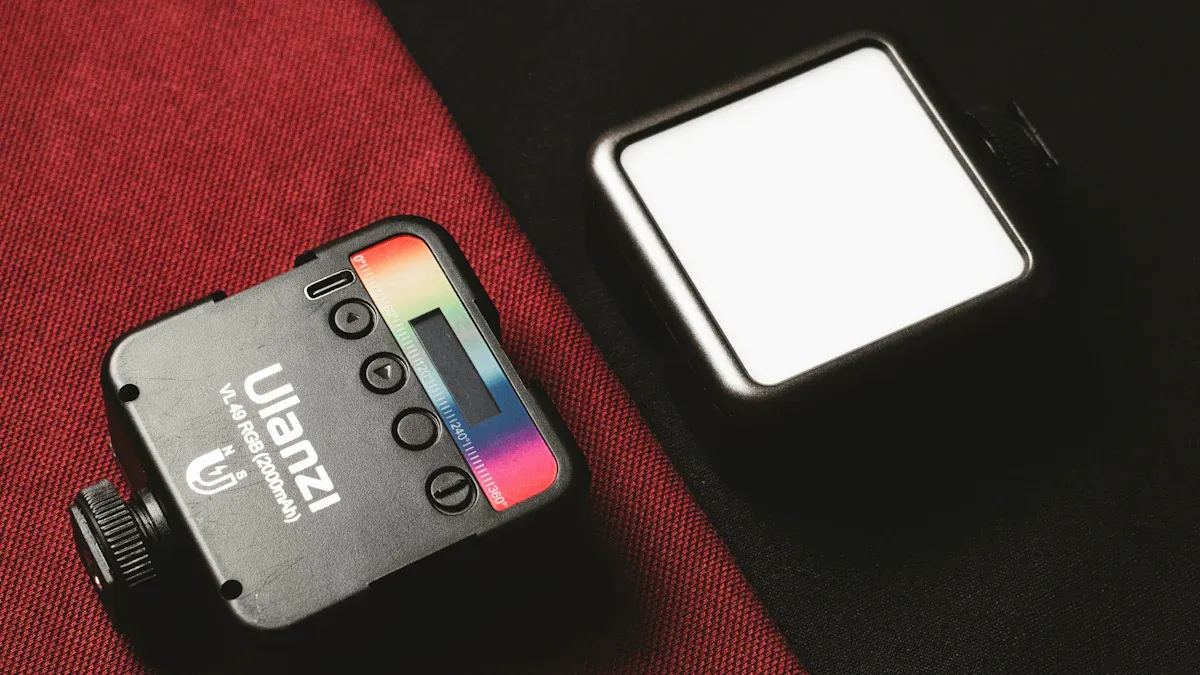
You want your brand to stand out at every event. A desktop light box is a small, glowing display that sits on your table or counter. It uses special LED lights to make your graphics look bright, even in dark or crowded places. The main parts are a strong aluminum frame, colorful silicone edge fabric graphics, and LEDs that save energy. You can put it together fast without any tools because of smart knobs and numbered pieces. This makes it simple to move and great for busy exhibitions.
Tip: Pick a desktop light box with custom printed graphics. You can change your message for each event and keep your display looking new.
Key Features and Functions
A desktop light box display does more than just look nice. It helps you look professional and brings more people to your booth. Here are some important features you should check:
Lightweight aluminum frame makes it easy to carry.
Modular design lets you pack it small and save money.
No-glare surface keeps your visuals clear and sharp.
Fabric graphics are easy to change, so you can update your message anytime.
Bright, energy-saving OSRAM LEDs give strong light.
Padded cases with wheels help you move it safely and easily.
Application Area | How It Helps Your Brand Stand Out |
|---|---|
Retail Stores | Shows off products and sales with bright pictures |
Museums | Makes exhibits stand out with even lighting |
Airports | Shares ads and info clearly for travelers |
Information Centers | Makes graphics simple to see and read |
You can use backlit lightboxes in lots of places, like trade shows or hotels. They are good for short events or long displays. With a desktop light box, you make your booth special and help people remember your brand.
Boosting Visibility at Exhibitions
Eye-Catching Displays
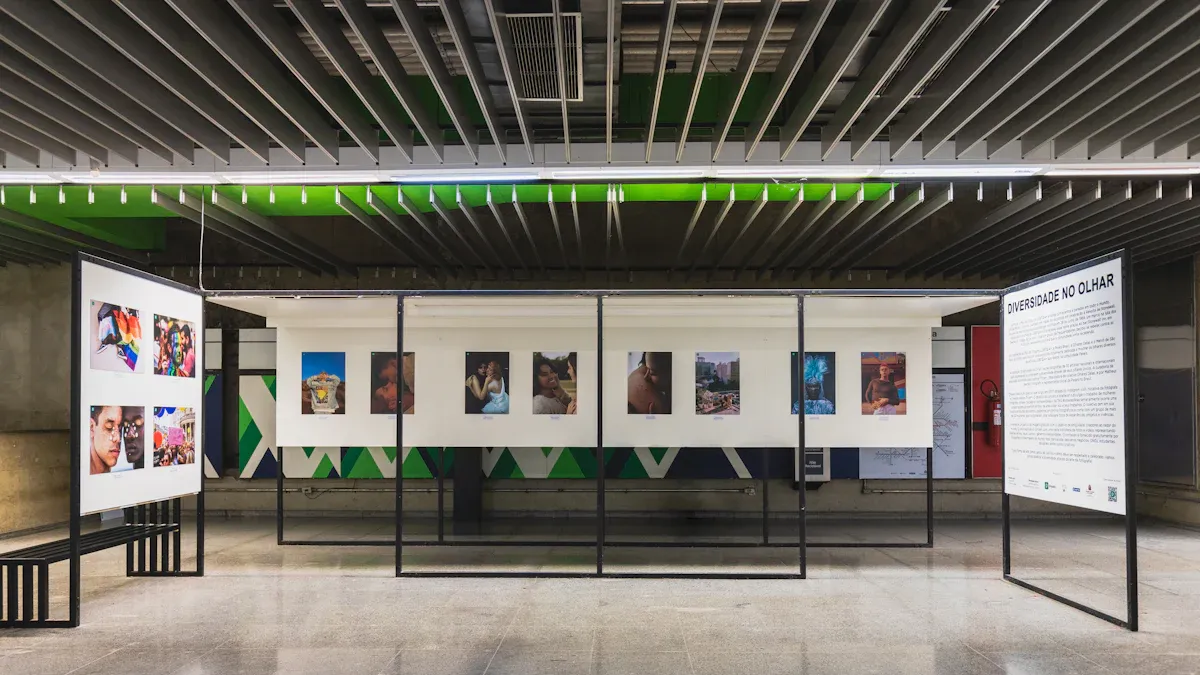
You want your booth to get noticed in a busy place. A desktop light box helps your display stand out more than regular signs. The bright lights catch people’s eyes from all directions. When you use a light box, your graphics look colorful and clear. People see your message right away. This helps you make a good first impression and get your brand seen.
Many stores use backlit lightboxes to show off products and deals. You can do the same thing at exhibitions. The bright, even light makes your booth look new and professional. Perimeter lit lightboxes keep your pictures sharp, even if the room is dark. Your brand will not blend in with others.
Impact on Customer Engagement
You want people to stop and remember your brand. A desktop light box does more than just get attention. It keeps visitors interested. Studies say 74% of people remember booths with digital or interactive displays. Using an exhibition lightbox helps people stay longer and talk more. Visitors spend more time at your booth and ask questions about your products.
A glowing display at your front desk makes people feel welcome. It helps visitors find what they need and meet your team. This means more people know your brand and you get more leads. Stores use this idea to help shoppers and sell more.
Exhibition Lightbox Benefits
You want to get the most out of your exhibition. Desktop light boxes have many good points over regular displays. Here are some main benefits:
Eco-friendly ads with energy-saving LEDs and reusable fabric graphics.
Big impact with designs you can see from all sides.
Easy to put together and light frames for fast setup and moving.
Small size lets you add more branding without using extra space.
You can see how desktop light boxes stack up against other choices:
Feature | Pop Up Light Box Displays | Traditional Displays |
|---|---|---|
Visual Appeal | Striking and eye-catching | Less engaging |
Setup Time | Under 15 minutes | Longer setup |
Weight and Logistics | Lightweight and portable | Heavier and bulkier |
Return on Investment | Higher due to increased leads and brand recall | Generally lower due to static nature |
You want your exhibition displays to help your brand. Pick a desktop light box to get more attention, keep people interested, and make your next exhibition great.
Versatility and Practical Advantages
Flexible Design Options
You want your booth to look like your brand every time. Desktop lightboxes let you change your display in many ways. You can pick glowing table talkers, centerpieces with your logo, or cool shapes like cubes and spheres. Some designs let you switch LED colors with a remote. This helps your booth match the event’s mood. Rechargeable displays do not need wires, so your table stays neat. Stores like these displays because they help people see products better and make shopping fun.
Design Customization Type | Features |
|---|---|
Light Up Table Talkers | Show your logo, use at corporate events, color-changing LED cubes |
Glowing Tabletop Signs | Remote control, 16 LED colors, great as centerpieces |
Branded Centerpieces | Add your logo, rechargeable, no wires |
Unique Designs | Shapes like cubes, spheres, blocks, rectangles |
Conference Branding | Glowing LED displays for products and services |
Easy Setup and Portability
You need to set up fast and move your booth easily. Desktop lightboxes are made from light aluminum and snap together without tools. You can build them in just a few minutes. The small size makes them easy to carry and ship. Some cases turn into counters or podiums, so you get more use from them. When the show is over, you can pack everything back in the case right away. You do not have to wait for extra boxes. This makes your event simple and less stressful.
Feature | Description |
|---|---|
Quick setup, no tools needed | |
Lightweight materials | Easy to carry and transport |
Portable design | Saves on shipping and labor costs |
Case-to-counter feature | Case becomes a counter or podium |
Easy disassembly | Fast packing, no waiting for materials |
Energy Efficiency and Cost Savings
You want to save money and help the earth. Backlit lightboxes use LEDs that use less power than old lights. This means your bills are lower and you waste less energy. You also spend less on fixing and replacing them. If you buy a lot at once, you can get a big discount. Perimeter lit lightboxes last a long time and keep your booth bright. In-store displays with energy-saving LEDs help your brand stand out and be green. You get more people to notice you and save money every year.
Tip: Pick illuminated displays for your next event. You will see how much money and time you save.
Maximizing Exhibition Lightbox Impact
Choosing the Right Size and Style
You want your exhibition lightbox to fit your booth well. First, think about how easy it is to see. Pick a size that people can notice from all sides. Make sure your table does not get too full. Match the light box display with your brand’s colors and style. This helps people remember your brand and gives a good first impression. You can add special graphics and logos to make it unique. Look at the table below for important things to think about:
Factor | Description |
|---|---|
Visibility | Make sure your display is readable from all directions. |
Space Utilization | Use your space well without clutter. |
Consistency | Match the size and style to your brand’s look. |
Customization Options | Add graphics and logos to boost brand recognition. |
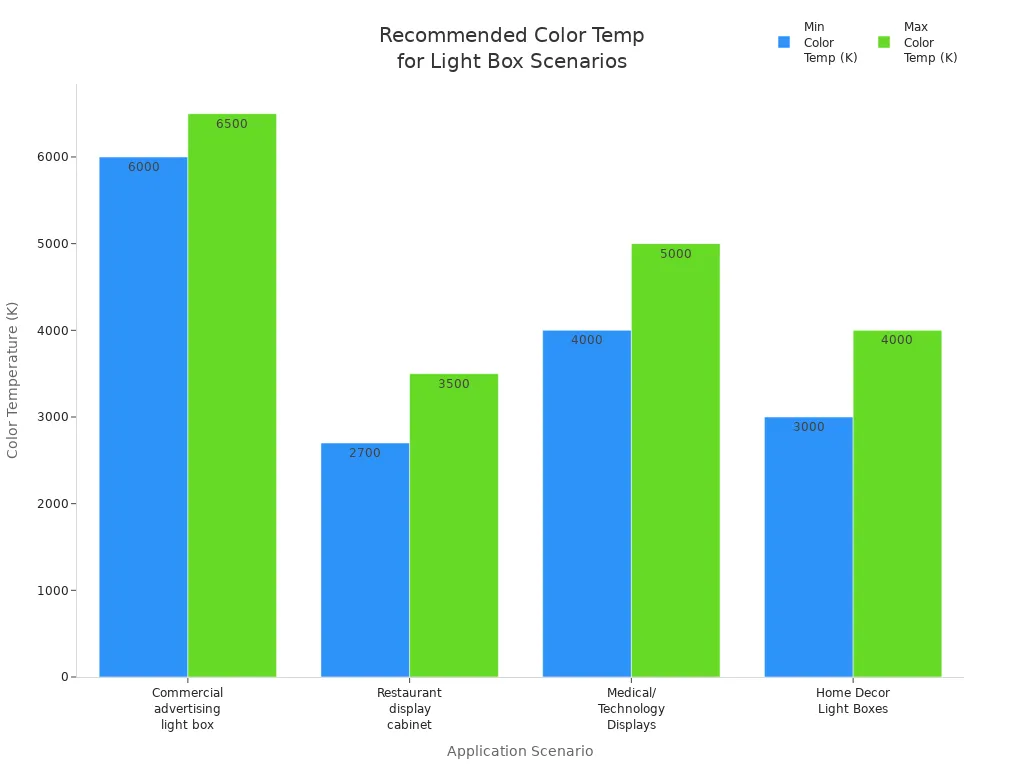
Color temperature is important too. Pick the best lighting for your products. Check the chart below to see what works best in different places:
Creative Placement Strategies
You can make your backlit lightboxes stand out with smart placement. Try using shelves or tall stands to lift your displays higher. Put your light box near the front of your booth to get more attention. Mobile stands let you move your display to busy spots. Stores use these ideas to help people notice products and buy more. Make sure all your lights have the same color temperature for a smooth look. Change the lighting to match the theme of your event.
Strategy | Description |
|---|---|
Use shelves or hanging signs to highlight your product. | |
Mobile stands | Move your display to busy areas for more views. |
Vertical structures | Stand out in crowded spaces and attract more visitors. |
Keep your lighting the same for a neat look.
Test your lights before the event to make sure they match.
Maintenance Tips
You want your light box display to look nice every time. Wipe the surface with a soft cloth before each show. Change the graphics often so your message stays new and fun. Put your displays in padded cases when you travel to keep them safe. Check the LEDs and wires for any problems. Replace broken parts right away. These steps help your booth look great and get more people to notice your brand. Taking care of your display means more people will remember you and you will get more leads.
Tip: If you take care of your exhibition lightbox, it will always look good and work well for you.
You want people to notice your brand at exhibitions. Desktop light boxes help your brand get seen with bright, glowing graphics. These graphics grab attention and make your booth look put together. Lots of stores and companies pick these displays because they are simple to set up. They do not need much work to keep clean. The materials, like recyclable aluminum and acrylic, are good for the earth. Customers say these displays last a long time and look professional. If you want people to remember your booth, try using desktop light boxes at your next event.
FAQ
How do you set up a desktop light box?
You can set up your desktop light box in minutes. Snap the frame together, slide in your graphics, and plug it in. No tools needed. You get a bright, professional display fast.
Can you change the graphics easily?
Yes! You can swap out the fabric graphics anytime. Just remove the old graphic and press in the new one. This keeps your message fresh for every event.
Are desktop light boxes energy efficient?
Absolutely. Desktop light boxes use LED lights. These lights use less power and last longer than traditional bulbs. You save money and help the environment.
Where can you use a desktop light box?
Location | Benefit |
|---|---|
Trade Shows | Attracts more visitors |
Retail Stores | Highlights special offers |
Hotels | Welcomes guests with style |
Information Desks | Shares info clearly |
Tip: Try your light box in different places to see what works best for your brand.
See Also
Creating Stunning Acrylic Displays For Illuminated Signage
The Appeal Of Personalized Acrylic Letters For Light Boxes
Understanding The Functionality Of LED Light Box Displays
